
- Design the Cell from the Part Backwards
- What the Blocks Can Do
- Layout Decisions
- Staged Automation
- Takt-Time Thinking
- Commissioning Phases
- Frequently Asked Questions
- How do I choose between the Rotate and Slide modules for my welding cell?
- Can I upgrade or reconfigure my Simass cell after installation?
- What safety measures should I implement in a multi-axis welding cell?
- How does staged automation benefit my production process?
- Related Articles
Quick Answer: To build a multi-axis welding cell using Simass Rotate and Slide, start by analyzing your part geometry and required motions, then select the right modules. Configure the layout for optimal access and workflow, plan for staged automation, and validate each commissioning phase to ensure reliable, efficient production across diverse sectors.
Design the Cell from the Part Backwards
Effective multi-axis welding cell design begins by analyzing the geometry and handling requirements of your parts. Start by mapping out the physical dimensions, weight, and weld locations of typical workpieces. Identify features such as circumferential seams, complex contours, or multiple weld zones, as these directly influence axis requirements and module selection. Consider whether your parts require rotation, linear translation, or a combination of both during welding.
Next, translate these geometric needs into required machine motions. For example, parts with round profiles or those needing circumferential welds will benefit from rotary handling, while elongated or multi-weld-zone components may require linear slides for sequential or parallel processing. Factor in any special handling requirements, such as delicate surfaces, high-mass components, or the need for precise alignment.
Module selection follows from this analysis. The Simass Rotate module is ideal for parts requiring precise rotary movement, while the Slide module excels with large, lengthy, or multiple workpieces that benefit from parallel loading and unloading. In some cases, combining both modules or adding a motor-driven Z-axis extension may be necessary to achieve all required weld positions and access points.
By designing from the part backwards, you ensure that every element of the cell—axes, modules, fixturing, and control—directly supports your production objectives, reduces unnecessary complexity, and maximizes operational efficiency.
| Feature | Simass Rotate | Simass Slide |
|---|---|---|
| Primary Function | Precision rotary table for circumferential welds | Three parallel slides for large/long parts, independent loading/unloading |
| Typical Parts | Micro-tubes to heavy pipes, round/cylindrical components | Large, elongated, or multiple workpieces |
| Motion Type | Fixed-clock or programmable rotation | Linear translation with motorized rotation axis |
| Clamping | Secure clamping, consistent rotation speeds | 315 mm three-jaw chuck per slide |
| Parallel Processing | No (single rotary table) | Yes (three slides can be loaded/unloaded independently) |
| Optional Extensions | Motor-driven Z-axis for vertical reach | Motor-driven Z-axis for vertical reach |
| Upgradeability | Modular, can be combined with other modules | Modular, can be combined with other modules |
Both modules can be combined or upgraded for complex multi-axis welding cells.
What the Blocks Can Do
The Simass Rotate and Slide modules each address distinct production needs within a multi-axis welding cell. The Rotate module features a precision rotary table capable of both fixed-clock and freely programmable rotation, enabling high-accuracy positioning for parts ranging from micro-tubes to heavy pipes. Its robust design allows for secure clamping and consistent rotation speeds, making it suitable for circumferential welds on round or cylindrical components.
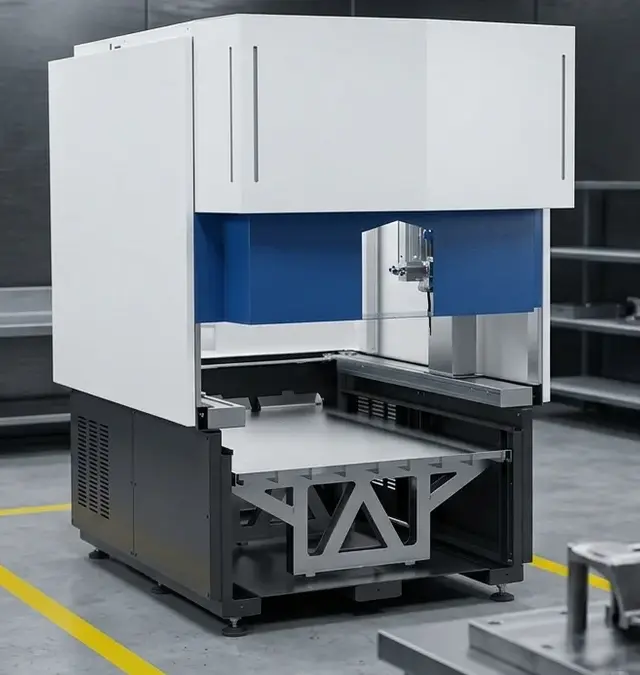
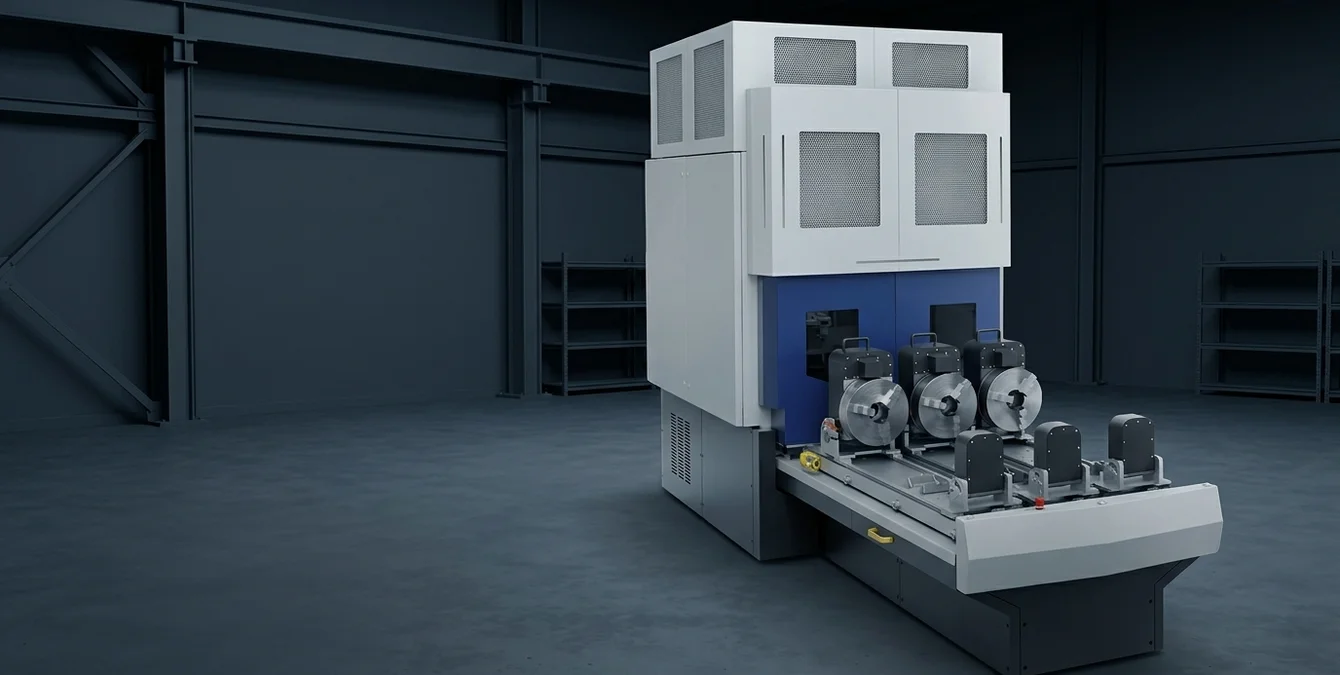
The Slide module is engineered for large or elongated workpieces, offering three independently movable slides (Einschubmodule) that can be loaded or unloaded outside the welding cabin while welding continues on another slide. Each slide is equipped with a motorized rotation axis and a 315 mm three-jaw chuck, supporting both horizontal and vertical part orientations. This parallel processing capability significantly reduces downtime and boosts throughput, especially for high-mix or large-batch production.
Both modules can be further enhanced with optional motor-driven Z-axis extensions, providing additional vertical reach and flexibility for complex weld geometries. The modularity of Simass systems allows for later upgrades or reconfiguration, ensuring the cell can adapt to evolving production requirements without major reinvestment.
- Rotate: Precision rotary table, micro-tube to heavy pipe, programmable rotation
- Slide: Three parallel slides, large/long parts, independent loading/unloading
- Optional Z-Axis: Extended vertical reach for complex welds
| Aspect | Best Practice |
|---|---|
| Operator Access | Define clear loading/unloading zones; ensure all slides are independently accessible |
| Ergonomics | Integrate hoists or roller tables for heavy parts; minimize operator movement |
| Workflow Continuity | Align cell orientation for efficient movement and clear sightlines |
| Cable/Gas Routing | Use trays or carriers; keep away from moving axes and high-traffic areas |
| Maintenance | Ensure all connections are accessible for inspection |
| Safety | Mark laser-controlled zones, use shielding walls, and follow supplied safety guidelines |
A well-planned layout enhances productivity and maintainability.
Layout Decisions
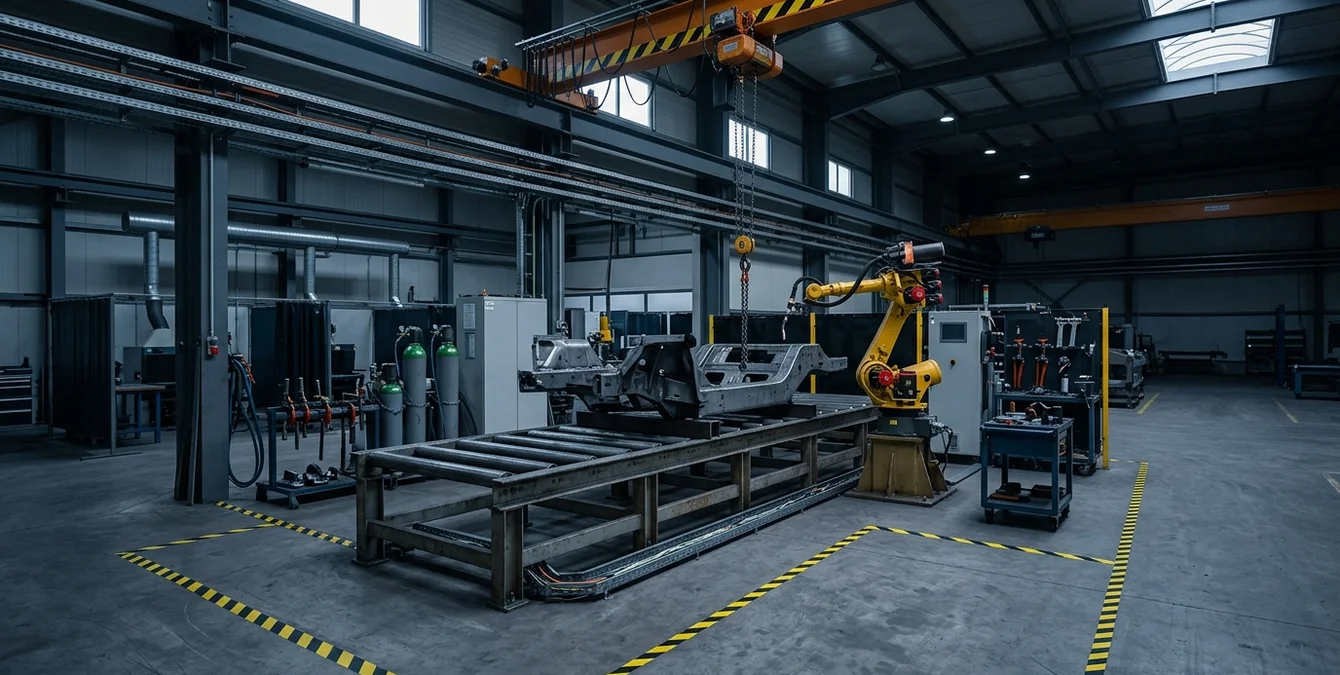
Optimizing the physical layout of your multi-axis welding cell is critical for safe, efficient operation. Begin by considering operator access: ensure that loading and unloading zones are clearly defined and free from obstructions. For the Slide module, position the cell so that all three slides can be accessed independently, allowing operators to prepare parts outside the welding cabin while another part is being processed.
Loading strategy should prioritize ergonomics and workflow continuity. For heavy or awkward parts, integrate mechanical aids such as hoists or roller tables. Align the cell orientation to minimize operator movement between workstations, and plan for clear sightlines to the welding process for monitoring and intervention when necessary.
Gas and cable routing must be addressed early in the layout phase. Route shielding gas, power, and control cables away from high-traffic areas and moving axes to prevent entanglement or accidental damage. Use cable trays or articulated carriers to manage dynamic runs, especially where the rotary table or slides move independently. Ensure all connections are accessible for inspection and maintenance.
Finally, incorporate safety measures such as marked laser-controlled zones, shielding walls, and clear signage per the supplied safety guidelines. A well-planned layout not only enhances productivity but also contributes to a safer, more maintainable work environment.
| Stage | Description | Benefits |
|---|---|---|
| Manual Operation | Operators jog axes, set geometry, and validate welds using Sigomatic software | Low risk, operator familiarity, real-time validation |
| Semi-Automation | Convert proven manual cycles into automated routines | Increased repeatability, reduced intervention |
| Full Automation | Program rotary/slide movements and synchronize with welding parameters | Maximized throughput, minimized downtime |
Automation can be scaled incrementally as process stability is confirmed.
Staged Automation
Implementing automation in a Simass-based multi-axis welding cell can be approached incrementally. Both the Rotate and Slide modules support manual and automated operation, allowing you to start with manual processes and transition to automation as cycles are proven and stabilized. This staged approach minimizes risk and enables operators to gain familiarity with the system before full automation is deployed.
Begin by programming and executing welds manually, using the teach-in capabilities of Sigomatic or Sigomatic Pro software. Operators can jog axes, set geometry primitives, and validate weld paths in real time. Once consistent results are achieved, these manual cycles can be converted into automated routines, reducing operator intervention and increasing repeatability.
On the Rotate module, automation can be introduced by programming the rotary table for fixed or variable-speed cycles, synchronized with welding parameters. For the Slide module, automation may involve coordinated movement of slides and rotation axes, enabling parallel loading and welding with minimal downtime. Modular software extensions support these transitions, allowing for gradual scaling of automation as production demands evolve.
This staged methodology ensures that automation is implemented only after process stability is confirmed, reducing the likelihood of errors and facilitating operator buy-in. It also enables efficient troubleshooting and process optimization at each stage.
Takt-Time Thinking
Reducing takt time—the interval between the start of production of one unit and the next—is a key objective in multi-axis welding cell design. The Simass Slide module’s three-parallel-slide architecture enables true parallelization: while one part is being welded, operators can load or unload the other slides, dramatically minimizing idle time. This approach is especially effective for high-mix, low-volume production or for large, time-consuming welds.
Program libraries are essential for efficient takt time management. By organizing welding programs by part family within Sigomatic or Sigomatic Pro, operators can quickly recall proven parameter sets, reducing setup time and ensuring process consistency. For repeat jobs, this also simplifies quality assurance and traceability, as all relevant settings are stored and can be reviewed or adjusted as needed.
On the Rotate module, takt time can be optimized by synchronizing rotary movement with welding operations, ensuring that the next weld position is ready as soon as the previous seam is completed. Automated part clamping and release further streamline the workflow, although these can be phased in as automation matures.
Regular takt-time analysis—tracking actual cycle times against targets—enables continuous improvement. Operators should be encouraged to log bottlenecks and suggest layout or process refinements to further reduce non-productive intervals.
Commissioning Phases
Commissioning a Simass-based multi-axis welding cell involves structured phases, each with clear acceptance criteria. Begin with mechanical and electrical verification: confirm all axes move freely, safety interlocks function, and all modules (Rotate, Slide, Z-axis) operate as specified. Verify the integrity of shielding gas delivery, cable routing, and emergency stop systems according to the supplied safety guidelines.
Next, perform functional testing using representative parts. Validate axis accuracy, repeatability, and the correct execution of programmed weld paths. For the Slide module, test independent movement and rotation of each slide, including loading/unloading while welding is active. For the Rotate module, check rotary positioning and synchronization with welding parameters.
Sector-specific acceptance testing follows. In tooling and mold repair, focus on weld quality and fit-up for large or complex geometries. In medical and food & packaging, validate process cleanliness and repeatability. For automotive and aerospace, emphasize traceability, program management, and compliance with relevant standards.
Document all results, address any deviations, and ensure all operators are trained per Sigma’s certified programs. Only after all acceptance criteria are met should the cell be released for production use, ensuring a reliable, sector-compliant operation from day one.
Frequently Asked Questions
How do I choose between the Rotate and Slide modules for my welding cell?
Select the Rotate module for parts requiring precise circumferential welds or rotary positioning, such as tubes or rings. Choose the Slide module for large, long, or multiple workpieces that benefit from parallel loading and unloading. Analyze your part geometry and workflow to determine the best fit.
Can I upgrade or reconfigure my Simass cell after installation?
Yes, Simass systems are modular. You can swap modules—such as adding a Slide or Rotate unit—later to adapt to new production requirements. This flexibility allows your welding cell to evolve as your part mix or process needs change, without major reinvestment.
What safety measures should I implement in a multi-axis welding cell?
Follow the safety guidelines supplied with your Sigma system: clearly mark laser-controlled zones, use appropriate shielding, and ensure all operators are trained. Sigma offers certified operator trainings to help ensure safe, compliant operation in your facility.
How does staged automation benefit my production process?
Staged automation lets you start with manual operation to validate weld processes, then automate proven cycles for repeatability and efficiency. This reduces risk, supports operator training, and allows you to optimize each step before scaling up automation.
SYN · Sigma Laser appreciation event
You weld. We say thank you.
For everyone who brings great things together every day – on 17 December 2026 the prize wheel turns for you.
One photo at your laser welding machine, a quick verification – and you’re in. Registration is free and takes two minutes. On 17 December every verified participant gets one spin of the prize wheel.
- 1 spin of the prize wheel
- Gifts in 3 tiers
- Free, no purchase needed
Gifts ship free within DE · AT · CH · EU · verification usually within one business day