
- The Mode Map Across the Sigma Range
- What Each Mode Really Does
- Choosing the Mode for the Job
- Switching Without Surprises
- Common Mode Mistakes
- Frequently Asked Questions
- Can I use CW mode on all Sigma Laser machines?
- What is SPT mode and when should I use it?
- How do I switch between modes on my Sigma system?
- Do I need to adjust parameters when changing modes?
Quick Answer: Sigma Laser systems offer pulsed, CW, and SPT modes, but not all modes are available on every machine. Light series support only pulsed and SPT; Fibre series support all three. To switch, select the desired mode via the Sigomatic interface and always verify parameters and results with a test weld.
| Sigma Series | Laser Type | Pulsed Mode | CW Mode | SPT Mode |
|---|---|---|---|---|
| Light Series (Sidanus Light, Sirius Light, Sineo Light) | Nd:YAG | Yes | No | Yes |
| Fibre Series (Sidanus Fibre, Sineo Fibre, Siega Fibre) | Ytterbium Fibre | Yes | Yes | Yes |
SPT (Super Pulse Technology) is available on all Sigma Laser machines. CW (Continuous Wave) mode is exclusive to the Fibre series.
The Mode Map Across the Sigma Range
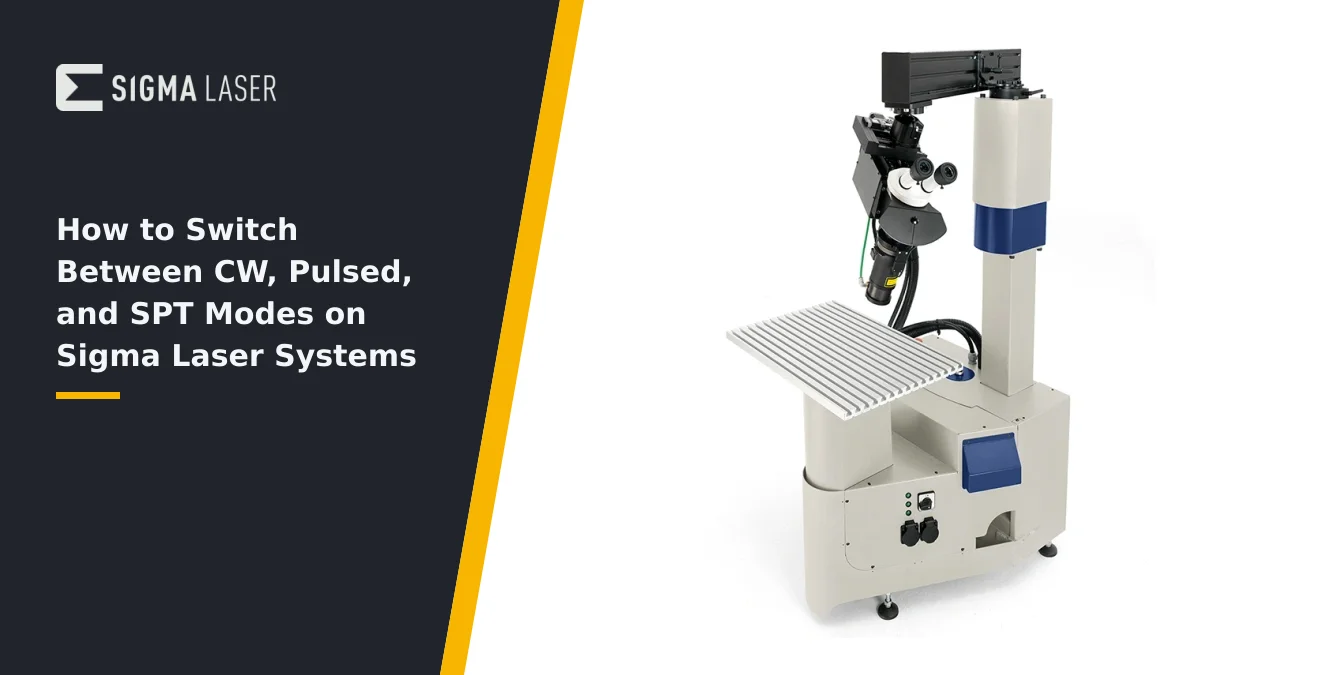
Understanding which welding modes are available on your Sigma Laser system is the first step to effective operation. Sigma’s product lineup is divided into two primary technology families: the Light series (Sidanus Light, Sirius Light, Sineo Light) and the Fibre series (Sidanus Fibre, Sineo Fibre, Siega Fibre). Each series is engineered with distinct laser sources and capabilities, directly influencing which welding modes are accessible.
The Light series employs Nd:YAG laser technology operating at 1064 nm and is strictly limited to pulsed operation. This means that continuous wave (CW) welding is not possible on these models. However, all Light series machines are compatible with Sigma’s proprietary Super Pulse Technology (SPT), which enhances pulse shaping and control for specialized applications.
The Fibre series, including Sidanus Fibre, Sineo Fibre, and Siega Fibre, utilizes ytterbium fibre laser sources at 1070 nm. These systems offer both pulsed and continuous wave (CW) welding modes, as well as full support for SPT. This flexibility makes the Fibre series suitable for a broader range of materials and weld geometries, from ultra-fine spot repairs to high-speed seam welding.
- Light Series: Pulsed + SPT (no CW)
- Fibre Series: Pulsed + CW + SPT
- SPT: Available on all Sigma machines, regardless of laser type
Before planning your welding process, always confirm the mode capabilities of your specific Sigma model. Attempting to select CW mode on a Light series machine will not be possible, as the hardware does not support it. For maximum flexibility—including seamless switching between pulsed, CW, and SPT—choose a Fibre series system.
| Mode | Key Features | Best For |
|---|---|---|
| Pulsed | Controlled bursts; pulse duration 0.05–50 ms; precise heat input | Thin sections, edge repairs, micro-welding, minimal distortion |
| Continuous Wave (CW) | Steady, uninterrupted beam; deep penetration; high speed | Long seams, thick sections, high-throughput production (Fibre series only) |
| SPT (Super Pulse Technology) | Microsecond pulse modulation; ultra-fine control | Heat-sensitive, reactive, or high-alloy materials; minimal HAZ; advanced applications |
Pulse durations and features are as described in the article. CW mode is not available on Light series machines.
What Each Mode Really Does
Each welding mode on Sigma Laser systems delivers distinct process characteristics, directly impacting weld quality, speed, and suitability for different materials. Understanding the operational differences is essential for selecting the right mode for your application.
Pulsed mode delivers energy in controlled bursts, with pulse durations ranging from as short as 0.05 ms (on Sineo Light) up to 50 ms. This allows precise control over heat input, minimizing distortion and enabling fine spot welds or delicate repairs. Pulsed mode excels on thin sections, edge repairs, and applications where thermal impact must be tightly managed.
Continuous Wave (CW) mode, available exclusively on the Fibre series, outputs a steady, uninterrupted laser beam. This is ideal for producing long, uniform seams and for high-speed welding of larger or thicker components. The constant energy delivery supports deep penetration and consistent bead geometry, but requires careful management of heat input to avoid distortion—especially on heat-sensitive materials.
Super Pulse Technology (SPT) is Sigma’s proprietary microsecond pulse modulation, available across both Light and Fibre series. SPT enables ultra-fine control of pulse width and energy delivery at the microsecond scale. This mode is particularly effective for minimizing the heat-affected zone (HAZ), reducing hot and cold cracking, and welding challenging materials such as high-alloy steels, cast components, and biocompatible metals like titanium and stainless steel. SPT is also advantageous for applications requiring minimal oxidation or precise control over metallurgical properties.
In summary, pulsed mode prioritizes precision and minimal heat input, CW mode offers speed and continuous seams, and SPT pushes the boundaries of control for demanding or sensitive materials. Each mode’s operational profile should be matched to the specific requirements of your workpiece and application.
| Application Type | Recommended Mode(s) |
|---|---|
| Thin, delicate, or precision repairs | Pulsed |
| Long seams, high speed, thick sections | Continuous Wave (CW) |
| Heat-sensitive, reactive, or high-alloy materials | SPT (Super Pulse Technology) |
CW mode is only available on Sigma Fibre series systems.
Choosing the Mode for the Job
Selecting the optimal welding mode for your task is critical to achieving the desired results in terms of joint quality, process efficiency, and material integrity. The choice depends on the geometry, thickness, and metallurgical characteristics of the workpiece, as well as the production objectives.
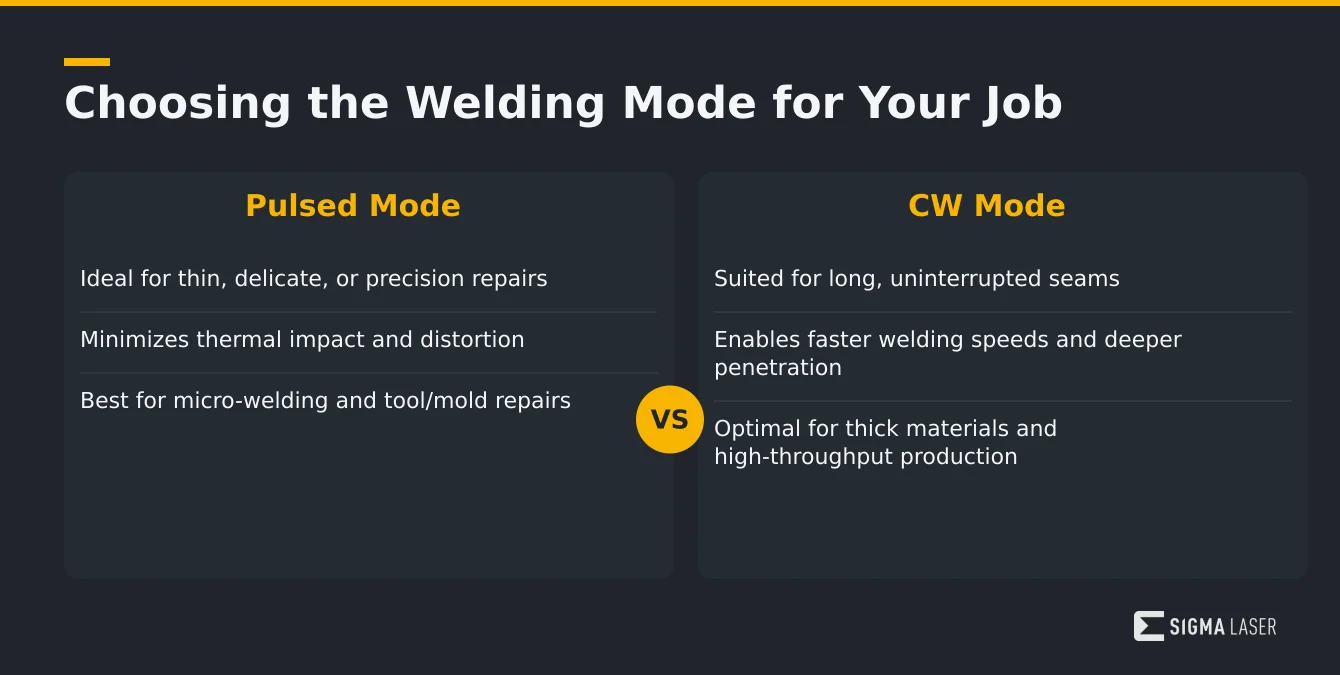
Pulsed mode is the go-to choice for applications demanding high precision and minimal thermal impact. It is particularly suitable for thin-walled components, edge repairs, micro-welding, and situations where distortion or discoloration must be avoided. Pulsed mode is also preferred for detailed tool and mold repairs, where fine control over each weld spot is essential.
Continuous Wave (CW) mode is best suited for applications requiring long, uninterrupted seams, such as joining large sheets, circumferential welding of pipes, or high-throughput production lines. The steady energy input enables faster welding speeds and deeper penetration, making it ideal for thicker materials or when process speed is a primary concern. However, careful fixturing and cooling strategies are recommended to manage heat buildup.
SPT mode should be considered when working with heat-sensitive, reactive, or high-value materials. Its microsecond pulse modulation is particularly effective for biocompatible metals (e.g., titanium, medical-grade stainless steel), cast materials, and alloys prone to hot or cold cracking. SPT is also advantageous for minimizing the heat-affected zone and achieving superior metallurgical properties, especially in aerospace, medical, or advanced tooling applications.
- Pulsed: Thin, delicate, or precision repairs
- CW: Long seams, high speed, thick sections
- SPT: Heat-sensitive, reactive, or high-alloy materials
Always evaluate the specific demands of your job and reference your material parameter table or consult with your Sigma Laser specialist to determine the most appropriate mode for your application.
Switching Without Surprises
Switching between CW, pulsed, and SPT modes on Sigma Laser systems is designed to be straightforward, but it requires careful attention to parameter validation and process verification to ensure consistent results. Mode selection is performed via the Sigomatic or Sigomatic Pro software interface, typically as part of the weld program setup or selection process.
When changing modes, it is important to recognize that process parameters—such as pulse duration, power, and feed rates—do not transfer directly between modes. For example, a pulse energy setting suitable for pulsed mode will not yield equivalent results in CW operation. Therefore, after selecting a new mode, you must review and adjust all relevant parameters according to your established material and process guidelines.
Before committing to production, always perform a test weld on sample material that matches your workpiece. This allows you to observe the weld bead, penetration, and heat-affected zone, and to fine-tune parameters as needed. Pay close attention to signs of overheating, under-penetration, or undesirable metallurgical effects—especially when switching to or from SPT mode, where microsecond-scale adjustments can have significant impacts.
Document any parameter changes and results for future reference, and ensure that all operators are aware of the mode currently in use. If your system is equipped with accessories such as wire feed or rotary devices, verify their synchronization with the selected mode, as feed rates and timing may require adjustment. Consistent verification and communication are key to avoiding surprises and maintaining process stability across mode changes.
Common Mode Mistakes
Operators occasionally encounter issues when switching between welding modes, often due to misunderstandings about machine capabilities or parameter transfer. Awareness of these common pitfalls can help maintain process integrity and avoid costly errors.
One frequent mistake is attempting to select CW mode on a Light series (Nd:YAG) machine. These models are hardware-limited to pulsed and SPT operation; CW is not available. Attempting to run a continuous seam on such a system will not succeed and may delay production if not recognized promptly.
Another common error is assuming that parameters set for pulsed mode will yield similar results in CW mode. In reality, energy delivery, heat input, and weld pool dynamics differ substantially between modes. Carrying over pulse durations, power levels, or wire feed rates without adjustment can result in excessive heat input, distortion, or poor weld quality.
Operators may also overlook the need for test welds when switching to SPT mode, underestimating the impact of microsecond-level pulse modulation on the weld outcome. Finally, confusion can arise from terminology—remember that SPT is available across all Sigma machines, not just the Fibre series, and should not be conflated with fibre-laser-specific features.
- Attempting CW on a Light series system
- Transferring pulse parameters directly to CW mode
- Neglecting test welds after mode changes
- Misunderstanding SPT availability and function
By staying aware of these pitfalls and following best practices for parameter verification and process validation, you can ensure reliable results and maximize the capabilities of your Sigma Laser system.
Frequently Asked Questions
Can I use CW mode on all Sigma Laser machines?
No, CW mode is exclusive to the Fibre series (Sidanus Fibre, Sineo Fibre, Siega Fibre). The Light series (Sidanus Light, Sirius Light, Sineo Light) supports only pulsed and SPT modes. Always check your machine’s specifications before planning your process.
What is SPT mode and when should I use it?
SPT (Super Pulse Technology) is Sigma’s microsecond pulse modulation, available on all Sigma Laser machines. Use SPT for heat-sensitive, reactive, or biocompatible metals, or when you need to minimize the heat-affected zone and reduce cracking risks.
How do I switch between modes on my Sigma system?
Mode selection is performed via the Sigomatic or Sigomatic Pro interface, typically as part of the weld program setup. After switching, always review all process parameters and perform a test weld to verify results before starting production.
Do I need to adjust parameters when changing modes?
Yes, parameters such as power, pulse duration, and feed rates do not transfer directly between modes. Always re-verify and adjust settings according to your material and process requirements, and confirm results with a test weld.
SYN · Sigma Laser appreciation event
You weld. We say thank you.
For everyone who brings great things together every day – on 17 December 2026 the prize wheel turns for you.
One photo at your laser welding machine, a quick verification – and you’re in. Registration is free and takes two minutes. On 17 December every verified participant gets one spin of the prize wheel.
- 1 spin of the prize wheel
- Gifts in 3 tiers
- Free, no purchase needed
Gifts ship free within DE · AT · CH · EU · verification usually within one business day