- The Compact Fibre Workhorse: What You Get
- Placement and Environment
- Unpacking and First Inspection
- Controls Tour: Sigomatic, Microscope, Memory
- Choosing the Right Mode for the First Jobs
- Commissioning Weld Series
- Frequently Asked Questions
- Do I need external cooling for the Siega Fibre?
- How do I select between pulsed and CW modes for my application?
- What should I check during the first inspection after delivery?
- How many welding programs can I store on the Siega Fibre?
- Related Articles
Quick Answer: To set up the Siega Fibre for the first time, ensure correct placement in a suitable environment, inspect for transport damage, familiarize yourself with controls, select the appropriate welding mode, and run a documented commissioning weld series. Always follow Sigma’s safety guidelines and operational best practices for optimal results.
| Parameter | Siega Fibre Specification |
|---|---|
| Laser Type | Yb fibre laser |
| Wavelength | 1070 nm |
| Power Options | 300 W / 450 W |
| Operating Modes | Pulsed & Continuous Wave (CW) |
| Pulse Control | Super Pulse Technology (SPT) |
| Traverse (X × Y × Z) | 150 × 75 × 100 mm |
| Working Distance | 100 mm |
| Dimensions (W × D × H) | 756 × 751 × 1370 mm |
| Weight | Approx. 300 kg |
| Cooling | Integrated air/air (no external chiller) |
| Optics | Leica 10× stereo microscope |
| Program Memory | 50 programs (expandable) |
| Control Software | Sigomatic / Sigomatic Pro |
All values are as stated in the article body and reflect the Siega Fibre’s core technical features.
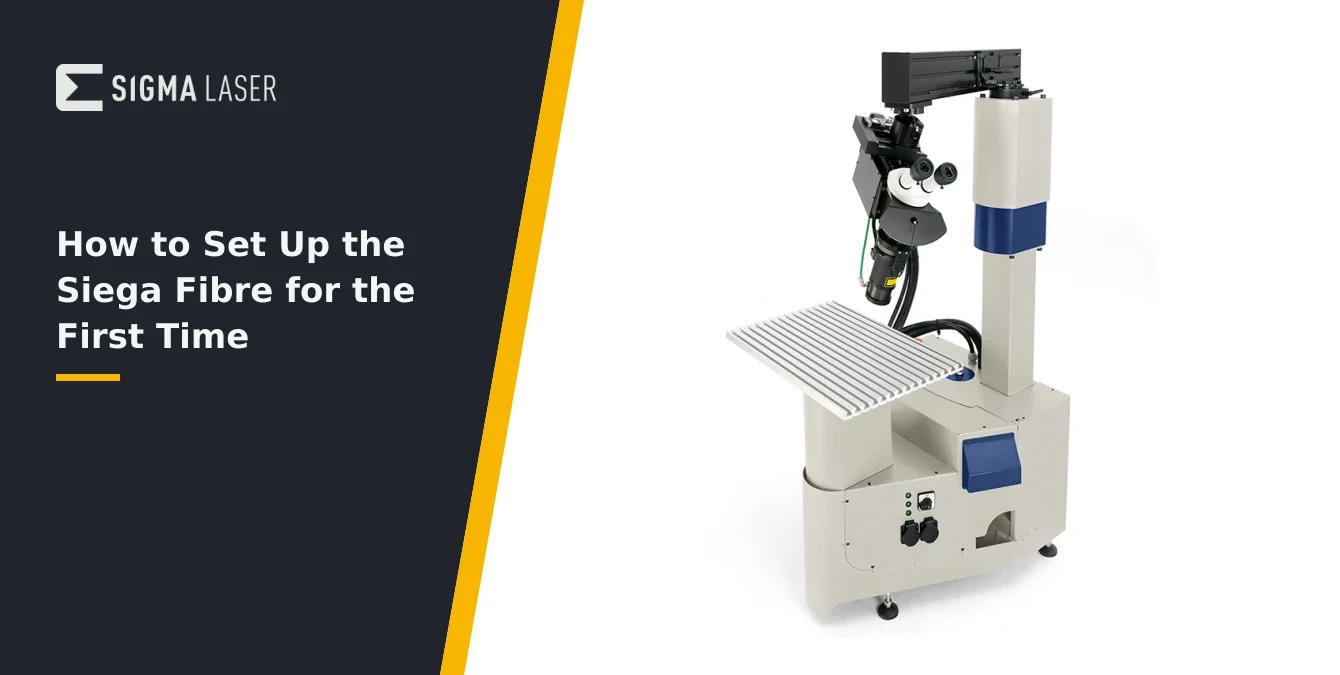
The Compact Fibre Workhorse: What You Get
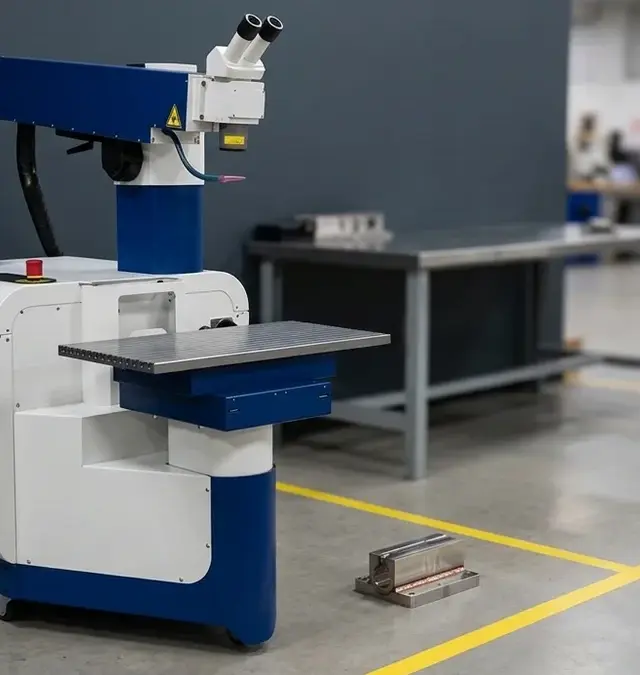
The Siega Fibre is Sigma Laser’s compact stationary fibre laser welding system, engineered for precision applications in tooling, mold repair, medical, and small-part production. It features a Yb fibre laser source operating at 1070 nm, with available power options of 300 W or 450 W. The system supports both pulsed and continuous wave (CW) operation, and includes Sigma’s advanced microsecond fibre-laser pulse control (SPT) for ultra-fine process tuning—particularly valuable for biocompatible metals and applications demanding minimal heat-affected zones.
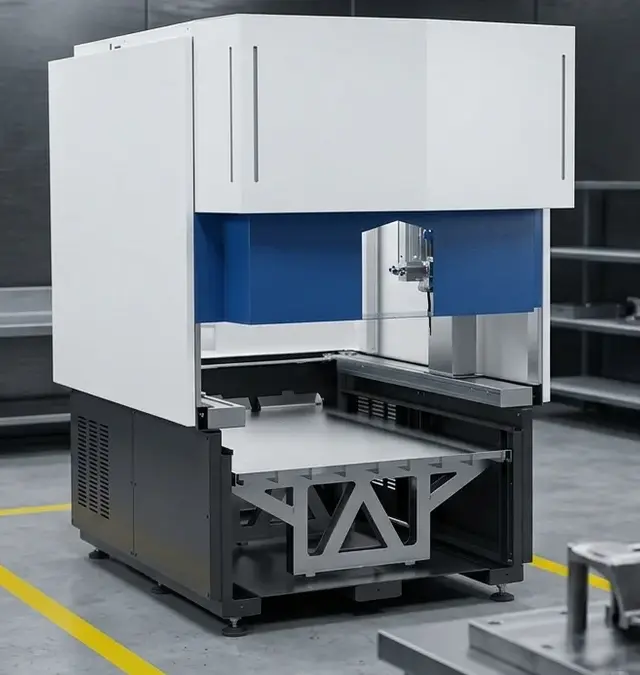
Physically, the Siega Fibre occupies a minimal footprint—measuring 756 × 751 × 1370 mm and weighing approximately 300 kg. This compactness enables flexible placement in production environments where space is at a premium, while still providing the stability required for high-precision work. The working envelope offers traverse of 150 × 75 × 100 mm, with a fixed working distance of 100 mm, making it ideal for intricate tasks on small to medium-sized components.
Every Siega Fibre system is delivered with an integrated Leica 10× stereo microscope for high-clarity process observation, and is controlled via Sigma’s Sigomatic or Sigomatic Pro software. The system’s program memory supports 50 stored welding programs (expandable as needed), allowing for rapid changeover and efficient handling of recurring jobs. The Siega Fibre is supplied as a ready-to-use, standalone unit, requiring no external cooling water connection due to its integrated air/air cooling system.
In summary, the Siega Fibre is designed as a versatile, high-precision workhorse for demanding industrial environments, combining robust construction, advanced control, and a user-friendly interface in a compact package. Operators receive a complete solution ready for immediate integration into production workflows.
| Parameter | Recommended Value |
|---|---|
| Ambient Temperature | 15–30 °C |
| Relative Humidity | ≤70% |
| Machine Weight | 300 kg |
| Footprint (W × D × H) | 756 × 751 × 1370 mm |
| Cooling Requirement | Integrated air/air (no external water connection) |
| Safety Zone | Laser-controlled area with warning signage and shielding as per Sigma guidelines |
Ensure unobstructed airflow and access; avoid dust, vibration, and direct sunlight.
Placement and Environment
Proper placement of the Siega Fibre is essential to ensure both operator safety and optimal machine performance. As a compact, stationary system, it can be positioned in a variety of workshop or production layouts. Select a location that provides stable, level support for the 300 kg unit, and allows for unobstructed access to the working area, controls, and service panels. Ensure that there is sufficient space around the machine for safe operator movement and for handling workpieces, tools, and maintenance equipment.
The Siega Fibre is engineered for environments within a temperature range of 15–30 °C and relative humidity not exceeding 70%. Maintaining these ambient conditions helps preserve the integrity of sensitive optical and electronic components, and ensures consistent laser performance. Avoid areas subject to excessive dust, vibration, or direct sunlight, as these can impact both process quality and operator comfort.
One of the Siega Fibre’s advantages is its integrated air/air cooling system, which eliminates the need for external water connections or chillers. This simplifies installation and reduces ongoing maintenance requirements. However, it is important to ensure that the cooling air inlets and outlets remain unobstructed and free from accumulated dust or debris. Position the machine so that airflow is not restricted by walls, equipment, or stored materials.
Finally, establish a clearly marked laser-controlled safety zone around the Siega Fibre, as per Sigma’s safety guidelines. Install appropriate warning signage and, where necessary, shielding walls or barriers to control access and contain optical hazards. Confirm that all required safety equipment—including laser-rated eyewear and protective clothing—is readily available at the installation site.
Unpacking and First Inspection
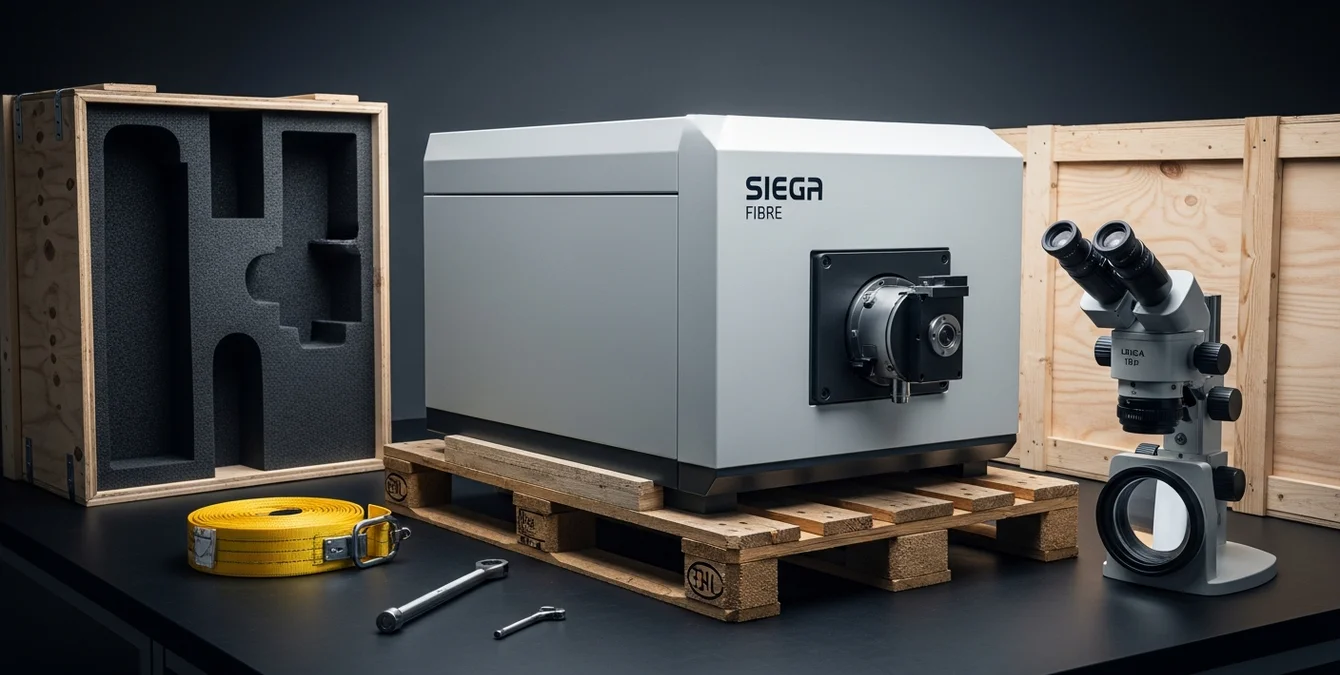
Upon delivery, begin by carefully inspecting the Siega Fibre’s shipping container for any signs of impact or damage sustained during transport. Document any visible issues before proceeding. Use appropriate lifting equipment and follow safe handling procedures to remove the system from its packaging, taking care to avoid sudden movements or shocks that could affect internal alignments.
Once uncrated, conduct a thorough visual inspection of the machine’s exterior. Check that the enclosure panels are intact and securely fastened, with no dents, cracks, or misalignments. Pay special attention to the optical access points, microscope mount, and control interfaces for signs of damage or contamination. Verify that all supplied accessories, documentation, and cables are present and undamaged.
Before powering on the system, inspect the optical path for cleanliness. The Siega Fibre is supplied with a Leica 10× stereo microscope; ensure that the lenses and any protective windows are free from dust, fingerprints, or residue. If necessary, use industry-standard optical cleaning techniques and materials to remove contaminants, taking care not to scratch or damage sensitive surfaces.
Check all connectors, cables, and safety interlocks for secure attachment and integrity. Confirm that emergency stop devices and main disconnects are accessible and functional. If the system includes any optional accessories—such as a motor-driven rotary device or wire feed—verify their condition and installation per the supplied instructions. Only proceed to power-up after completing these checks and addressing any identified issues.
| Component | Function |
|---|---|
| Sigomatic / Sigomatic Pro | Teach-in programming, parameter control, program memory (50+ jobs) |
| Removable Magnetic Display | Flexible positioning for optimal visibility |
| Leica 10× Stereo Microscope | Live weld zone observation, 100 mm working distance |
| Axis Traverse | 150 × 75 × 100 mm |
| Program Memory | 50 programs (expandable) |
Familiarize yourself with all controls and review documentation before operation.
Controls Tour: Sigomatic, Microscope, Memory
The Siega Fibre is operated primarily via Sigma’s Sigomatic or Sigomatic Pro software, which provides comprehensive control over welding parameters, axis positioning, and process monitoring. The Sigomatic interface enables teach-in programming using geometry primitives such as lines, circles, splines, and curves—facilitating rapid setup of both simple and complex weld paths. Operators can store up to 50 welding programs (with expansion options), allowing for efficient job recall and process standardization.
The control panel is designed for intuitive access to all core functions, including axis jogging, parameter adjustment, and real-time process feedback. The removable magnetic display panel can be positioned for optimal visibility during setup and operation. For advanced applications or integration with automation modules, Sigomatic Pro offers extended functionality and modular upgrades tailored to series production tasks.
High-precision process observation is enabled by the integrated Leica 10× stereo microscope. This optical system provides clear, stereoscopic visualization of the weld zone, allowing operators to monitor melt pool behavior, joint alignment, and process stability in real time. The working distance of 100 mm ensures comfortable access for both observation and manual intervention when required.
- Sigomatic/Sigomatic Pro: teach-in, parameter control, program memory
- Leica 10× microscope: live weld zone observation
- Axis traverse: 150 × 75 × 100 mm; working distance: 100 mm
Familiarize yourself with the location and operation of all controls before initiating any welding process. Review the supplied documentation for detailed instructions on software navigation, program management, and safety monitoring features.
Choosing the Right Mode for the First Jobs
The Siega Fibre supports both pulsed and continuous wave (CW) operation, providing flexibility for a wide range of welding tasks. Selecting the appropriate mode for your initial jobs is critical to achieving optimal results and minimizing process risks. Pulsed mode is generally preferred for spot welds, thin sections, or applications where heat input must be tightly controlled. The short, high-intensity pulses reduce the risk of distortion and allow for precise energy delivery, making this mode ideal for delicate assemblies, fine repairs, and micro-welding tasks.
Continuous wave (CW) mode, by contrast, delivers a steady, uninterrupted laser output. This is advantageous for producing continuous seams, longer welds, or when joining thicker sections that require sustained energy input for full penetration. CW mode is also suitable for applications where weld speed and process throughput are priorities, provided that thermal management is maintained within safe limits.
The Siega Fibre’s SPT (microsecond fibre-laser pulse control) technology further enhances process flexibility, enabling ultra-fine adjustment of pulse parameters for challenging materials such as titanium and stainless steel. This capability is particularly valuable when biocompatibility, minimal heat-affected zones, or precise oxidation color control are required.
When preparing for your first jobs, consult your material parameter tables and consider the geometry, thickness, and metallurgical properties of the workpiece. Begin with conservative settings and adjust based on observed results, always documenting the chosen parameters for future reference. If uncertain, refer to industry-standard guidelines or seek advice from Sigma’s technical support team.
Commissioning Weld Series
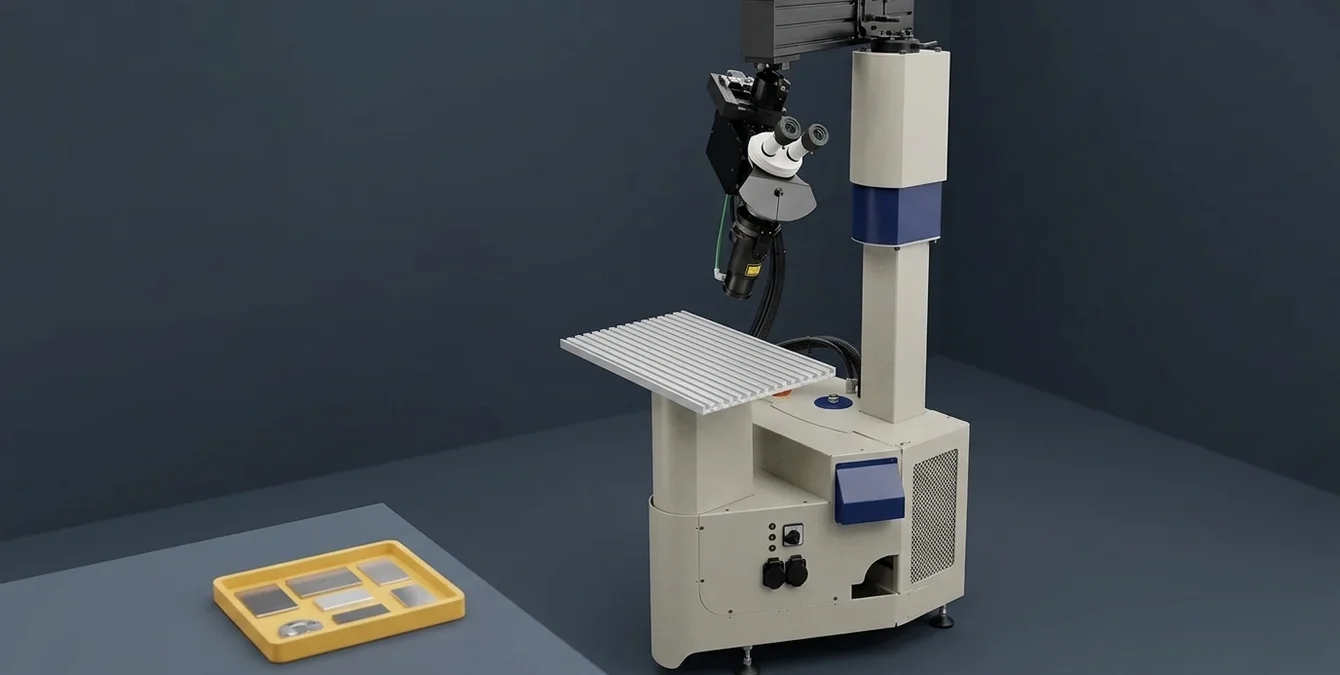
Before commencing production welding, it is essential to validate the Siega Fibre’s setup and parameterization through a structured commissioning weld series. Begin by preparing a set of representative scrap workpieces or test coupons that closely match your target materials and geometries. This approach allows you to fine-tune process variables without risking valuable components.
Adopt a methodical approach by varying only one process parameter at a time—such as pulse duration, power, or travel speed—while keeping all others constant. This enables clear identification of each variable’s effect on weld quality, penetration, and heat-affected zone. Use the Sigomatic software to document each test program, including parameter values and observed outcomes. Capture visual records of welds where possible, using the Leica microscope for detailed inspection.
Progress through a “scrap ladder” of increasing complexity or challenge, starting with simple bead-on-plate welds and advancing to actual joint configurations. Evaluate each weld for key quality indicators such as consistency, fusion, absence of cracks or porosity, and minimal distortion. Adjust shielding gas delivery and fixturing as needed, following best practices for laser welding.
Once optimal parameters are established, save the validated programs in the Siega Fibre’s memory for rapid recall in future jobs. This commissioning process not only ensures reliable, repeatable results but also builds operator confidence and familiarity with the system’s capabilities. Maintain thorough documentation to support process traceability and continuous improvement.
Frequently Asked Questions
Do I need external cooling for the Siega Fibre?
No, the Siega Fibre uses an integrated air/air cooling system and does not require any external water cooling or chiller. Ensure that the cooling air inlets and outlets remain unobstructed for optimal performance.
How do I select between pulsed and CW modes for my application?
Choose pulsed mode for spot welds, thin materials, or applications needing tight heat control. Use CW mode for continuous seams or thicker sections. Refer to your material parameter tables and adjust based on initial test results.
What should I check during the first inspection after delivery?
Check for any transport damage, ensure the enclosure and optics are intact and clean, verify all accessories are present, and inspect connectors and safety interlocks. Only proceed with setup after addressing any issues found.
How many welding programs can I store on the Siega Fibre?
The Siega Fibre supports storage of up to 50 welding programs as standard, with the possibility to expand further if needed. This allows for efficient job changeover and process standardization.
SYN · Sigma Laser appreciation event
You weld. We say thank you.
For everyone who brings great things together every day – on 17 December 2026 the prize wheel turns for you.
One photo at your laser welding machine, a quick verification – and you’re in. Registration is free and takes two minutes. On 17 December every verified participant gets one spin of the prize wheel.
- 1 spin of the prize wheel
- Gifts in 3 tiers
- Free, no purchase needed
Gifts ship free within DE · AT · CH · EU · verification usually within one business day