- What Sigomatic Does and Where You Meet It
- Preparing the Part and the Machine
- Teaching the Weld Path
- Setting Pulse Parameters for the Material
- Dry Run, Test Weld and Storing the Program
- Refining and Reusing Programs in Production
- Frequently Asked Questions
- Can I set up a Sigomatic weld program without programming skills?
- How many weld programs can I store on my Sigma machine?
- What should I do if my weld quality is inconsistent after setup?
- Is it necessary to perform a dry run before welding?
- Related Articles
Quick Answer: Sigomatic weld program setup involves preparing your part, teaching the weld path using intuitive geometry primitives, setting material-specific pulse parameters, running a dry test, and storing your program for repeatable production—all with live feedback and straightforward controls.
| Feature | Function / Benefit |
|---|---|
| Removable magnetic Display | Position interface for optimal visibility and ergonomics |
| Live feedback | Real-time display of welding parameters, axis positions, process status |
| SigoMax joystick | Precise jog control of laser head along all axes (standard on Sineo Light) |
| Program memory | Store and recall weld programs for repeatable production |
| Unified interface | Consistent experience across all Sigma Laser machines |
These features support efficient, error-minimized workflow for both new and experienced users.
What Sigomatic Does and Where You Meet It
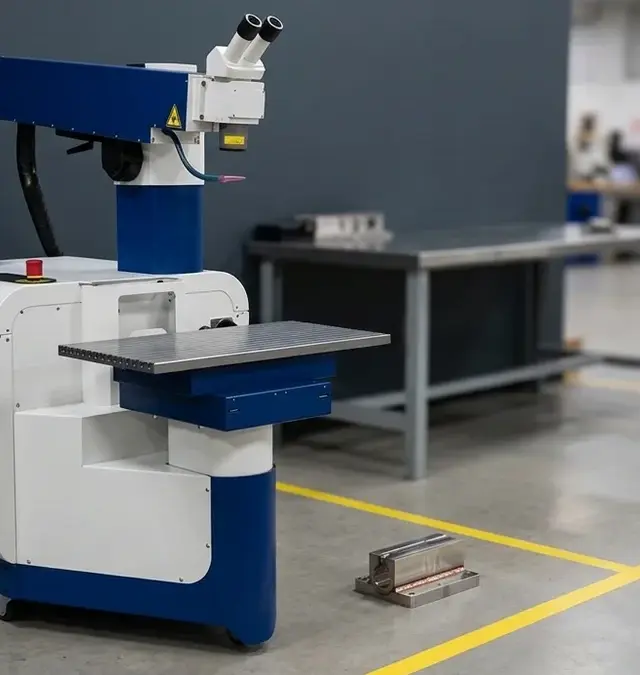
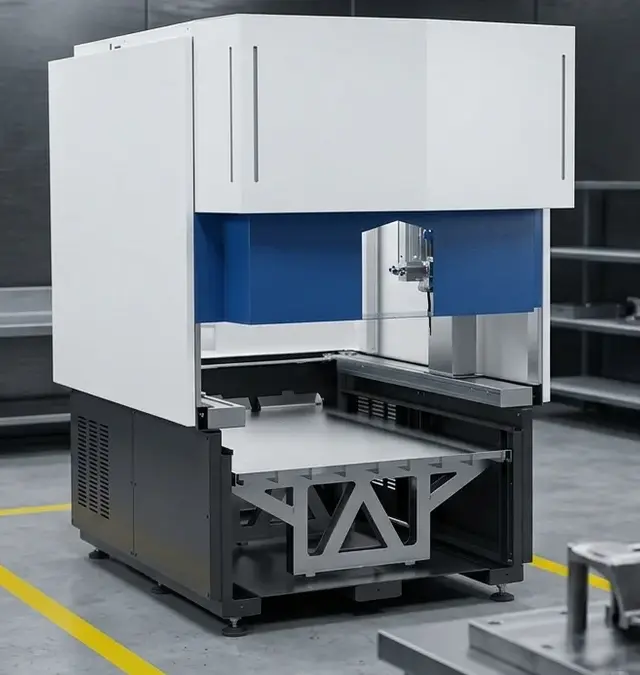
Sigomatic is Sigma Laser’s dedicated 4-axis teach-in software, standard on all six Sigma machines. It provides a unified, operator-friendly interface for programming, controlling, and monitoring laser welding processes. The software is designed to streamline both setup and production, enabling users to create and execute precise weld programs without advanced programming knowledge. Sigomatic’s live feedback displays real-time welding parameters, axis positions, and process status, ensuring operators can monitor critical variables and respond quickly to any deviations.
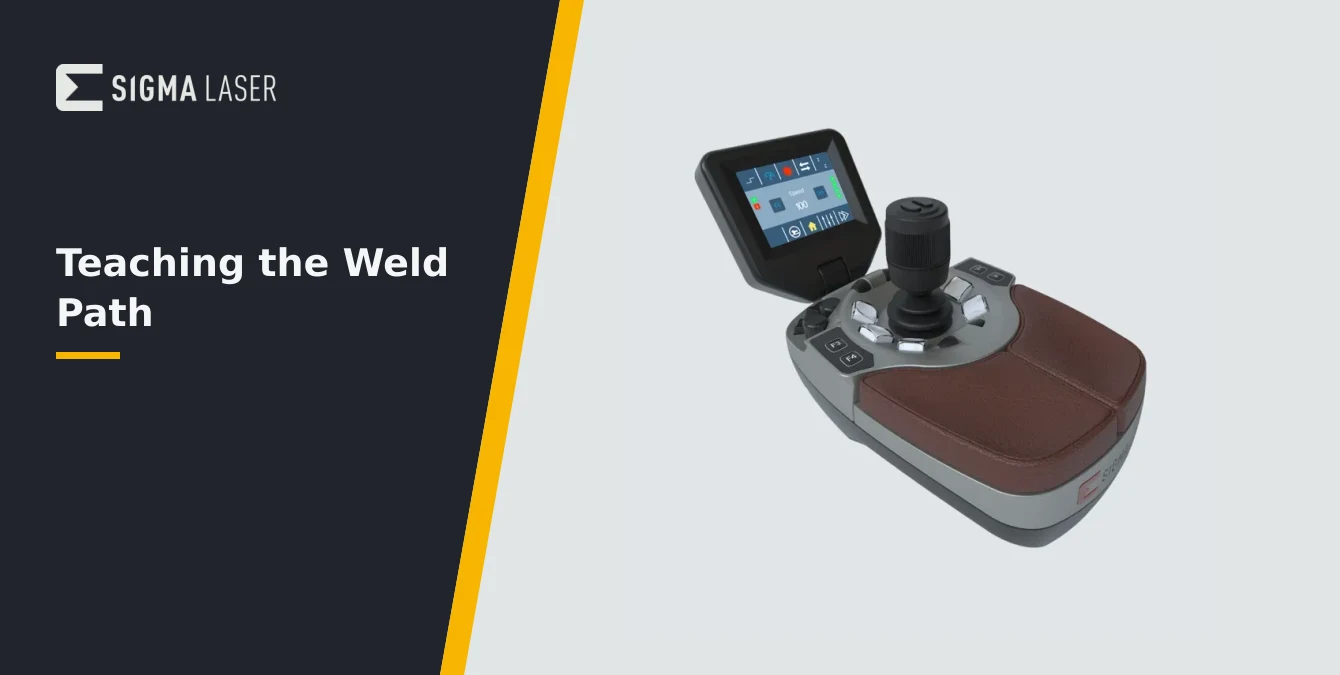
Central to the Sigomatic experience is its removable magnetic Display, which allows operators to position the interface for optimal visibility and ergonomics. This flexibility is especially valuable when working with large or awkwardly shaped workpieces, as it ensures that the operator can always maintain line-of-sight with both the interface and the welding area. The Display shows essential information such as current axis coordinates, laser status, and active program steps, supporting efficient workflow and minimizing errors.
For manual positioning and fine adjustments, the SigoMax joystick (standard on models like Sineo Light) enables precise jog control of the laser head along all axes. This feature is particularly useful during the teach-in phase, as it allows the operator to move the welding head to exact start and end points or to trace complex contours with high accuracy. The combination of live feedback, ergonomic controls, and intuitive jog functions makes Sigomatic a powerful tool for both experienced technicians and newcomers to laser welding automation.
Operators will encounter Sigomatic across the full Sigma Laser portfolio, from stationary systems like Sidanus Light to mobile solutions such as Sirius Light and Sineo Fibre. Regardless of machine type, Sigomatic’s consistent interface and feature set ensure a smooth learning curve and reliable performance in demanding production, repair, or prototyping environments.
Preparing the Part and the Machine
Before initiating any weld program setup in Sigomatic, thorough preparation of both the workpiece and the machine is essential. Industry best practice dictates that the part must be rigidly fixtured to prevent movement during welding. Secure fixturing not only ensures dimensional accuracy but also prevents process interruptions or defects caused by vibration or shifting. When working with large molds or heavy tooling, verify that the fixture can support the part’s mass and geometry throughout the welding sequence.
Cleanliness of the joint area is a critical factor in achieving high-quality laser welds. Remove any contaminants such as oils, oxides, or debris from the weld zone using appropriate cleaning methods (e.g., solvent wipe, mechanical abrasion). A clean joint surface promotes stable laser absorption and reduces the risk of porosity or inclusions in the finished weld. For sensitive or high-value parts, consider implementing a documented cleaning protocol as part of your standard operating procedure.
Shielding gas supply must be checked and confirmed before setup. Argon is commonly used to protect the weld pool from atmospheric contamination, especially when working with reactive or biocompatible metals. Inspect gas lines and nozzles for leaks or blockages, and ensure the flow rate meets the requirements for your material and joint type. Proper shielding gas coverage is vital for preventing oxidation, discoloration, and loss of mechanical properties.
- Verify fixturing stability and accessibility for the laser head.
- Clean the weld joint thoroughly and inspect for surface defects.
- Check shielding gas supply, nozzle alignment, and flow rate.
- Confirm that all safety guidelines are in place, including eyewear and zone markings.
By systematically preparing the part and machine, you lay the foundation for a successful Sigomatic weld program setup, minimizing the risk of defects and rework downstream.
| Primitive | Description / Use Case |
|---|---|
| Line | Straight seams or simple welds |
| Polyline | Multiple connected straight segments; complex contours |
| Circle | Circular welds or round features |
| Polycircle | Multiple connected circular arcs |
| Curve | Smooth, curved weld paths |
| Spline | Complex, free-form curves; mold repair or intricate geometries |
These geometry primitives are selectable in Sigomatic for defining weld paths during teach-in programming.
Teaching the Weld Path
The core of Sigomatic’s programming approach is its teach-in methodology, which empowers operators to define weld paths by physically moving the laser head to key positions. Using the SigoMax joystick or manual jog controls, you guide the welding head along the desired trajectory, marking start and end points for each segment. This direct, hands-on process eliminates the need for complex code or CAD import, making it accessible to users of varying technical backgrounds.
Sigomatic supports a comprehensive set of geometry primitives for path definition, as detailed in the Sigma catalogue. Operators can select from Line, Polyline, Circle, Polycircle, Curve, and Spline primitives to match the requirements of the weld joint. For example, a straight seam may be programmed as a Line, while a complex contour or mold repair might utilize a Spline or Polyline. The software’s interface guides you through the process of selecting the appropriate primitive and recording the necessary points by jogging the axes to each location.
During teach-in, the system provides live feedback on axis positions and path progress, enabling you to verify accuracy in real time. If adjustments are needed, you can re-jog to refine any point before finalizing the path. This iterative process ensures that the programmed trajectory closely matches the physical geometry of the part, reducing the likelihood of off-track welds or incomplete coverage.
No advanced programming skills are required to operate Sigomatic. The teach-in workflow is designed for clarity and repeatability, allowing even first-time users to create robust weld programs. By leveraging geometry primitives and intuitive controls, you can quickly build up complex welding sequences tailored to a wide variety of parts and applications.
Setting Pulse Parameters for the Material
Once the weld path is defined, the next critical step in Sigomatic weld program setup is configuring the laser pulse parameters to suit your specific material and joint. Industry best practice recommends a systematic, test-based approach: adjust one parameter at a time and observe the resulting weld quality. This methodical process—often referred to as a test ladder—enables you to identify optimal settings for penetration, width, and minimal heat-affected zone (HAZ) without risking part integrity.
Key parameters typically include pulse duration, pulse energy, frequency, and spot size. Begin with conservative values based on your material parameter table or previous experience with similar alloys. For example, harder steels may require longer pulse durations and higher energy, while thin or heat-sensitive materials benefit from shorter pulses and lower energy to avoid distortion. Adjust the spot size to balance penetration with the desired weld bead profile.
As you iterate, document each parameter set and its corresponding weld results. Use scrap material or test coupons to evaluate fusion quality, surface finish, and any signs of cracking or porosity. If the weld is too shallow, incrementally increase pulse energy or duration; if excessive spatter or discoloration occurs, reduce energy or optimize shielding gas coverage. Always make changes in small, controlled steps to isolate the effect of each variable.
Sigomatic’s live feedback allows you to monitor parameter changes in real time and correlate them with observed weld outcomes. By following a disciplined parameter-setting process, you ensure that your weld program delivers consistent, high-quality results tailored to the specific demands of each part and material combination.
| Step | Purpose / Action |
|---|---|
| Prepare part & machine | Fixture part, clean joint, check shielding gas, confirm safety |
| Teach weld path | Use SigoMax joystick/manual jog to define path with geometry primitives |
| Set pulse parameters | Adjust pulse duration, energy, frequency, spot size for material |
| Dry run / test weld | Verify path and parameters on scrap or test coupon |
| Store program | Save for repeatable production; monitor with live feedback |
Each step is essential for robust, repeatable laser weld programs using Sigomatic.
Dry Run, Test Weld and Storing the Program
Before committing to production welding, it is essential to validate your programmed path and parameters through a dry run and test weld. Start by executing a dry run with the laser source disabled. This step allows you to observe the movement of the laser head along the programmed trajectory, verifying that all positions are correct and that there are no collisions or unexpected axis motions. Pay close attention to clearances, especially when working with large or intricate parts, and confirm that the shielding gas nozzle maintains proper coverage throughout the path.
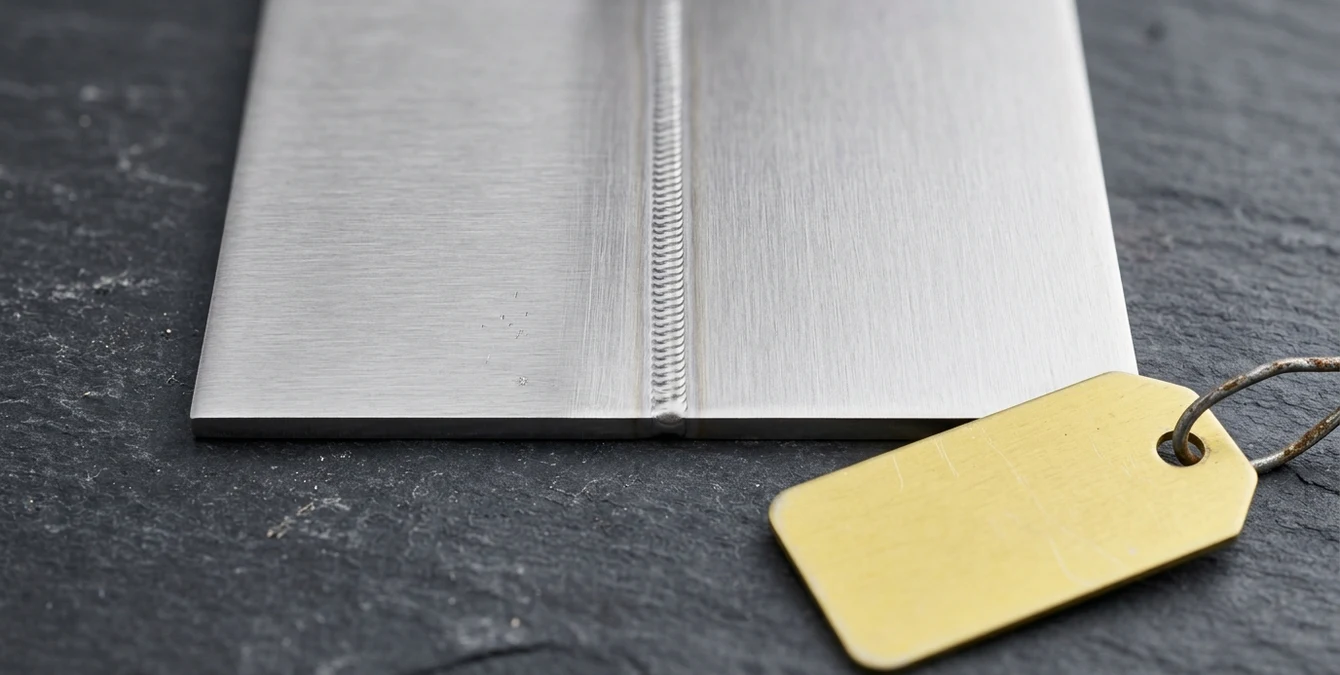
After a successful dry run, proceed to a test weld on scrap material or a designated test coupon. This initial weld provides a practical check of both the programmed path and the selected pulse parameters. Inspect the resulting weld bead for penetration, width, surface quality, and any signs of defects such as undercut, porosity, or excessive heat-affected zone. Adjust parameters as needed based on your observations, repeating the test process until the desired weld quality is achieved.
Once satisfied with the results, store the completed weld program in Sigomatic’s program memory. Sigma machines support storage of up to 50 programs as standard, with options to expand capacity to 100 or more. Assign clear, descriptive names to each program to facilitate easy retrieval and minimize the risk of confusion during future production runs. Organize programs by part number, material, or application as appropriate for your workflow.
By systematically dry running, testing, and archiving your weld programs, you establish a robust foundation for repeatable, high-quality production. This disciplined approach also supports traceability and continuous improvement in your welding operations.
Refining and Reusing Programs in Production
Production environments demand both consistency and adaptability. After your initial weld program has been validated and stored, it is important to refine and maintain it for ongoing use. Begin by implementing small, incremental adjustments based on production feedback or observed changes in part geometry, material batch, or environmental conditions. Document every modification, noting the specific parameter changes and their impact on weld quality. This practice creates a valuable knowledge base that supports troubleshooting and process optimization over time.
Organize your program memory to reflect part families, material types, or customer-specific requirements. Clear naming conventions and structured folders (where supported) help operators quickly locate the correct program, reducing setup time and minimizing the risk of errors. For high-mix or low-volume production, maintain a log of program versions and associated weld recipes, including parameter sets, fixturing notes, and test results. This documentation streamlines changeover and ensures that best practices are consistently applied across shifts and operators.
When reusing programs, always perform a brief verification—such as a dry run or test weld—after any change in part, fixture, or material. Even minor variations can affect weld quality, so proactive validation helps prevent costly defects or rework. Sigomatic’s live feedback and teach-in flexibility make it easy to update existing programs as needed, supporting continuous improvement and rapid adaptation to new production challenges.
By iteratively refining and carefully managing your weld programs, you maximize the value of your initial setup effort and establish a foundation for reliable, efficient laser welding operations in any production context.
Frequently Asked Questions
Can I set up a Sigomatic weld program without programming skills?
Yes. Sigomatic is designed for intuitive teach-in operation. You define weld paths by jogging the laser head to key points and selecting geometry primitives—no coding or advanced programming knowledge is required.
How many weld programs can I store on my Sigma machine?
Sigma machines support storage of up to 50 weld programs as standard. This capacity can be expanded to over 100 programs if needed, allowing you to manage a wide range of parts and applications.
What should I do if my weld quality is inconsistent after setup?
Review your fixturing, joint cleanliness, and shielding gas coverage first. Then, iteratively adjust pulse parameters one at a time, documenting each change and its effect. Use test welds to confirm improvements before full production.
Is it necessary to perform a dry run before welding?
Absolutely. A dry run with the laser off verifies the programmed path, checks for collisions or clearance issues, and ensures the setup is safe and accurate before actual welding begins.
SYN · Sigma Laser appreciation event
You weld. We say thank you.
For everyone who brings great things together every day – on 17 December 2026 the prize wheel turns for you.
One photo at your laser welding machine, a quick verification – and you’re in. Registration is free and takes two minutes. On 17 December every verified participant gets one spin of the prize wheel.
- 1 spin of the prize wheel
- Gifts in 3 tiers
- Free, no purchase needed
Gifts ship free within DE · AT · CH · EU · verification usually within one business day