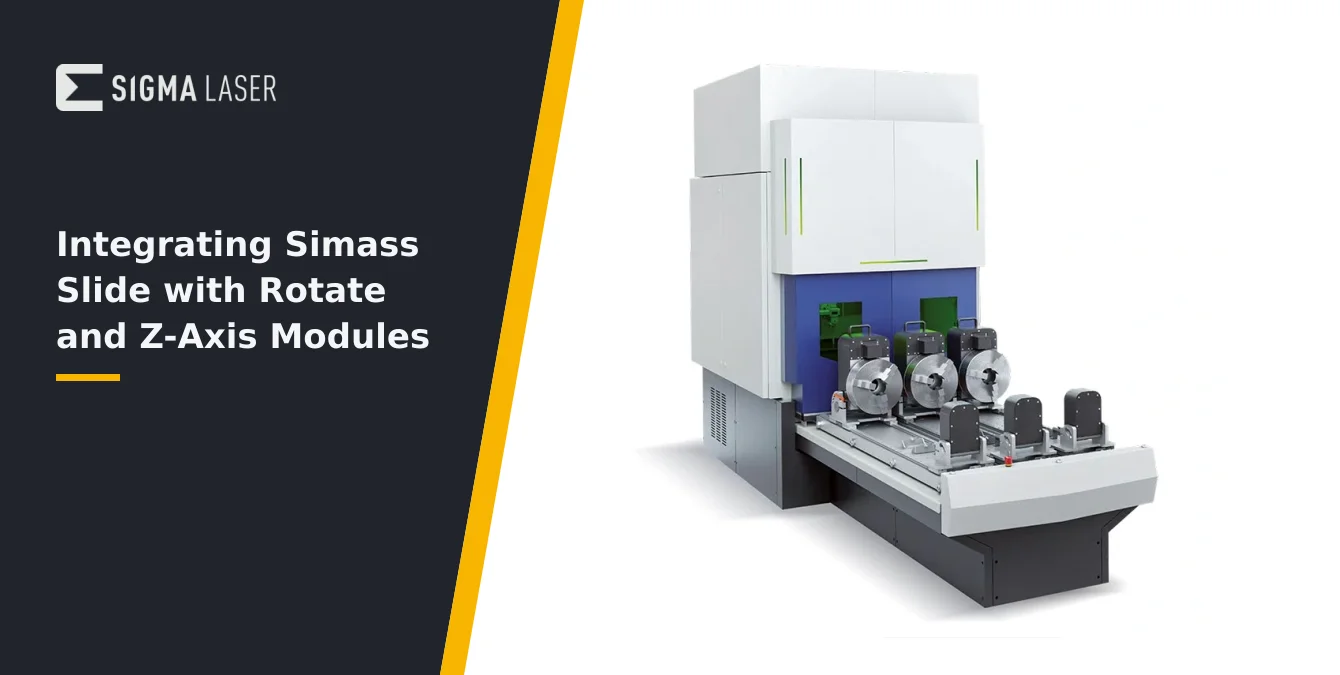
- When One Axis Is Not Enough
- The Building Blocks
- Assembly Order and Alignment
- One Zero-Point Chain
- Single Point of Control
- The Integration Test Matrix
- Frequently Asked Questions
- What are the main benefits of integrating Slide, Rotate, and Z-Axis modules in a Simass cell?
- How should I align the axes when assembling multiple modules?
- Is it necessary to re-teach reference points after changing module configuration?
- Can Sigomatic Pro control all modules from a single interface?
- Related Articles
Quick Answer: Integrating Simass Slide, Rotate, and Z-Axis modules creates a highly flexible, multi-axis laser welding cell. By combining linear slides, precision rotary positioning, and motor-driven vertical adjustment, operators can handle complex parts and geometries efficiently. Proper assembly, alignment, and software coordination are key for reliable, repeatable results.
When One Axis Is Not Enough
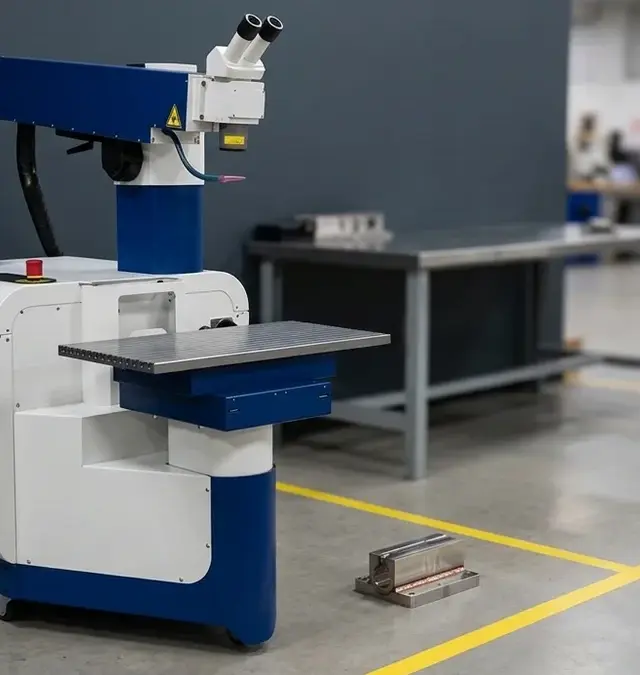
Modern laser welding applications—especially in tooling, mold repair, and large-part fabrication—often demand more than a single axis of movement. When a workpiece is long, features circumferential welds, and requires height adjustments, a single module or axis will not suffice. Integrating multiple modules within a cell is the solution for parts that are large, complex, or require multi-faceted processing.
For example, consider a large pipe or mold insert: it may need to be loaded and positioned with a linear slide, rotated precisely for circumferential welds, and then adjusted in height for welds at different elevations. Attempting this with a single axis or module would require excessive manual intervention, increasing downtime and risking misalignment. Instead, a multi-module configuration—combining Slide, Rotate, and motor-driven Z-Axis modules—enables seamless, automated handling of such tasks.
This approach not only boosts productivity but also enhances repeatability and process quality. By leveraging the modularity of the Simass platform, operators can adapt the cell to evolving production needs. The ability to swap or combine modules as requirements change ensures long-term flexibility, making the investment future-proof for a broad range of applications.
Ultimately, integrating multiple axes and modules is not just about handling bigger parts; it is about enabling complex weld geometries, minimizing manual repositioning, and supporting advanced automation workflows for demanding production environments.
| Module | Primary Function | Key Features |
|---|---|---|
| Slide | Linear movement and part staging | Three independent linear carriages; parallel loading/unloading; each slide with motorized rotation axis and 315 mm three-jaw chuck; handles parts up to Ø 500 mm × 1500 mm |
| Rotate | Precision rotary positioning | Rotary table (fixed-clock or programmable); high-accuracy circumferential positioning; essential for pipe/ring welding |
| Motor-driven Z-Axis | Vertical adjustment | Precise height positioning of laser head or workpiece; critical for multi-level welds and compensating part height variations |
All modules are interchangeable on the Simass Base Unit for flexible cell configuration.
The Building Blocks
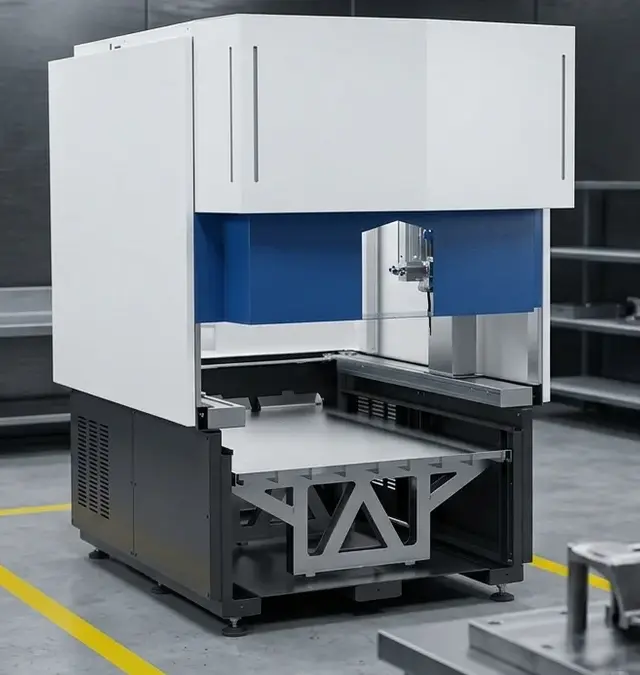
The Simass automation platform is built around modular, interchangeable elements designed for high configurability. The core modules relevant to advanced integration are the Slide, Rotate, and motor-driven Z-Axis. Each brings unique capabilities to the cell, and their combination unlocks sophisticated part handling and welding strategies.
The Slide module features three independent linear carriages (Einschubmodule), each capable of moving large or long parts into the working area. This enables parallel loading/unloading and reduces downtime, as parts can be staged outside the welding cabin while another is being processed. Each slide is equipped with a motorized rotation axis and a 315 mm three-jaw chuck, allowing for horizontal and vertical orientation of parts up to Ø 500 mm and 1500 mm in length.
The Rotate module introduces a precision rotary table, either fixed-clock or freely programmable, for high-accuracy circumferential positioning. This is essential for applications such as pipe welding, rings, or any part requiring rotational symmetry in the weld seam. The rotary table is designed for high speed and repeatability, ensuring consistent weld quality even at demanding production rates.
The motor-driven Z-Axis module provides vertical adjustment, allowing the laser head or workpiece to be positioned at precise heights. This is critical for multi-level welds, stepped features, or when compensating for part height variations. All modules are catalogue-confirmed as interchangeable on the Simass Base Unit, meaning the cell can be reconfigured or upgraded as production needs evolve.
| Step | Action | Purpose |
|---|---|---|
| 1 | Prepare Simass Base Unit | Foundation for all modules; ensures mechanical stability |
| 2 | Install Slide Module | Provides linear movement; forms base for further modules |
| 3 | Attach Rotate Module | Enables rotary positioning; must align with slide travel |
| 4 | Mount Motor-driven Z-Axis | Adds vertical adjustment; supports multi-level welding |
| 5 | Verify Alignment | Ensures axes are orthogonal and concentric; critical for repeatability |
Follow manufacturer’s guidelines for mounting and alignment to ensure optimal performance.
Assembly Order and Alignment
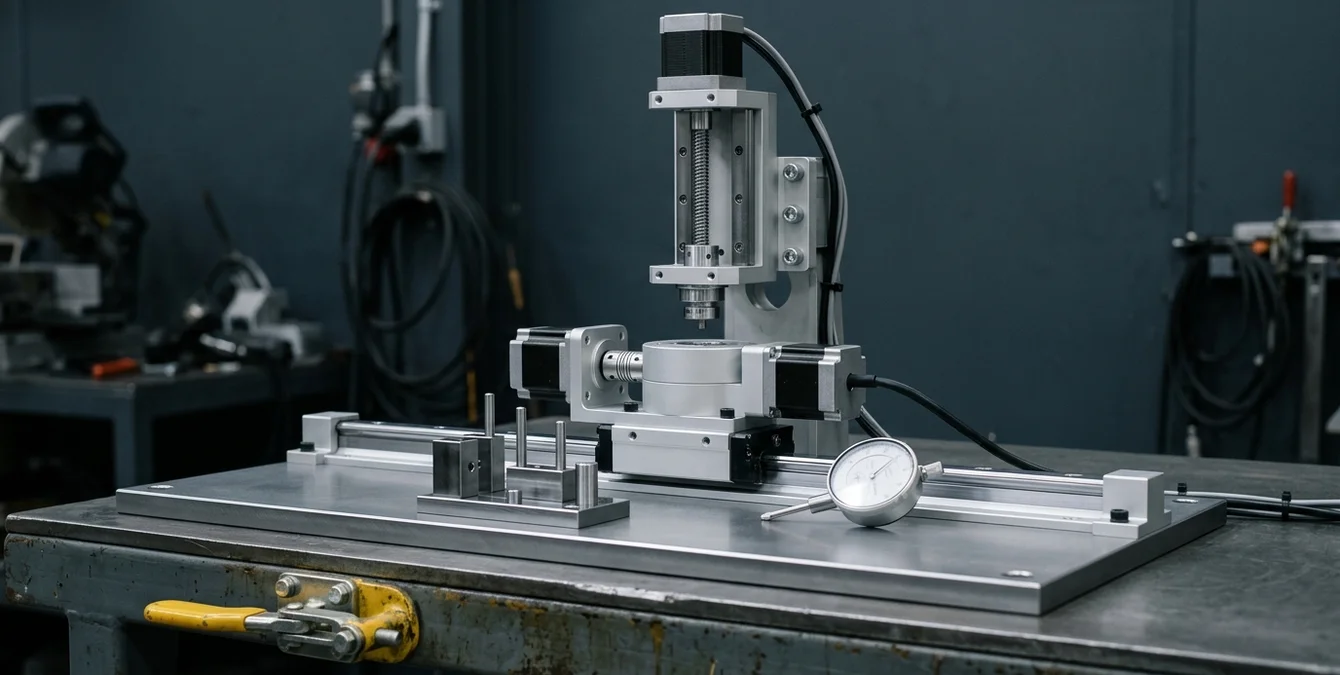
Successful integration of the Slide, Rotate, and Z-Axis modules begins with a methodical assembly process. Industry practice dictates that the base unit is first prepared according to the installation guidelines supplied with your Simass system. Each module is then mounted in a sequence that supports both mechanical stability and ease of alignment.
Typically, the Slide module is installed first, as it forms the foundation for linear part movement. The Rotate module is then attached, ensuring its axis of rotation is precisely aligned with the slide’s travel path. This is especially important when the rotary device is mounted on a slide carriage—any misalignment between the linear and rotary axes can lead to cumulative errors in positioning, affecting weld quality and repeatability.
The motor-driven Z-Axis is mounted to provide vertical movement either of the workpiece (via the slide/rotate assembly) or the laser head, depending on the cell configuration. Careful attention must be paid to the mechanical interfaces: all mounting surfaces should be clean, free of debris, and checked for flatness. Fasteners should be tightened to the manufacturer’s recommended specifications, but never overtightened, to avoid distortion.
- Verify that all modules are securely fixed and free of play.
- Check that motion along each axis is smooth, with no binding or abnormal resistance.
- After assembly, use alignment tools (such as dial indicators or laser trackers) to confirm that the axes are orthogonal and that the rotational axis is concentric with the slide travel.
Following these practices ensures that the combined system will deliver accurate, repeatable positioning across all integrated modules.
One Zero-Point Chain
Establishing a unified reference—or zero-point chain—is essential when integrating multiple motion modules. In a multi-module Simass cell, each axis (linear, rotary, vertical) must share a common coordinate system to ensure precise, repeatable positioning throughout the welding process.
The zero-point chain typically begins at the base unit and propagates through each mounted module. After any assembly or reconfiguration, it is critical to re-teach or re-reference the system. This involves setting the home or zero position for each axis in sequence, ensuring that all subsequent movements are based on a known, consistent starting point. Failure to properly establish the reference chain can result in misaligned welds, collisions, or process errors.
Operators should follow the referencing procedures outlined in the Simass documentation, using the Sigomatic or Sigomatic Pro interface to home each axis. After referencing, it is best practice to perform a verification routine—such as moving to predefined fixture points or using a test part—to confirm that all axes are correctly aligned and that the coordinate chain is intact.
If any module is swapped, serviced, or physically disturbed, the zero-point chain must be re-established. This discipline is fundamental to maintaining process accuracy, especially in automated or unattended operation. Documenting the reference procedure and maintaining a log of zero-point settings can further enhance traceability and quality assurance.
| Capability | Description |
|---|---|
| Unified Module Control | Commands Slide, Rotate, and Z-Axis modules from a single PC-based interface |
| Teach-in Programming | Supports geometry primitives: Line, Polyline, Circle, Polycircle, Curve, Spline |
| Axis Synchronization | Coordinates motion sequencing and process monitoring in real time |
| Process Monitoring | Displays axis positions, welding parameters, and process status |
Sigomatic Pro streamlines complex automation workflows and supports advanced multi-axis welding strategies.
Single Point of Control
Coordinating multiple modules in a Simass cell is streamlined through the use of Sigomatic Pro software. This PC-based control platform is designed to command all integrated modules—Slide, Rotate, and Z-Axis—via a unified interface, eliminating the need for multiple control stations or manual intervention between process steps.
Sigomatic Pro supports teach-in programming of geometry primitives (Line, Polyline, Circle, Polycircle, Curve, Spline), allowing operators to define complex weld paths that traverse multiple axes. The software manages axis synchronization, motion sequencing, and process monitoring in real time, ensuring that all modules operate in concert according to the programmed cycle.
For example, a typical program might command the slide to position a part, activate the rotary table for circumferential welding, and adjust the Z-Axis to accommodate changes in part height—all within a single, integrated process flow. Operators can monitor axis positions, welding parameters, and process status via the Sigomatic Pro interface, making adjustments as needed without leaving the control environment.
This single point of control not only improves efficiency but also reduces the risk of operator error. By centralizing command and feedback, Sigomatic Pro enables consistent, repeatable operation across even the most complex multi-module configurations. As production requirements evolve, additional modules or process steps can be integrated through software updates or module installation, preserving the investment in automation infrastructure.
The Integration Test Matrix
After assembling and referencing the integrated cell, a structured test matrix is essential to verify correct operation and ensure safe, reliable performance. Industry best practice recommends a staged approach: first, test each axis independently; then, test axis pairs; finally, run full combined moves as defined in the production program.
Begin by jogging each axis (Slide, Rotate, Z) through its full range of motion, observing for smooth travel, accurate position reporting, and absence of abnormal noise or resistance. Next, test pairs of axes in coordinated moves—such as sliding a carriage while rotating the table, or adjusting Z height during rotation—to confirm that mechanical and control systems are correctly synchronized.
Once individual and paired movements are validated, execute a dry run of the full process cycle without a workpiece. This allows observation of all axis interactions, timing, and safety interlocks. Monitor the Sigomatic Pro interface for any error messages, unexpected stops, or deviations from the programmed path. If the system includes automated part handling or feeding, verify that modules hand off parts smoothly and that no collisions occur.
Document all test results and address any issues before introducing actual parts or initiating production welding. This disciplined approach minimizes the risk of process interruptions, part damage, or safety incidents, and establishes a solid baseline for ongoing operation and future upgrades.
Frequently Asked Questions
What are the main benefits of integrating Slide, Rotate, and Z-Axis modules in a Simass cell?
Combining these modules enables handling of large, complex parts with multiple weld geometries. Operators gain flexibility for linear positioning, precise rotation, and vertical adjustment, supporting advanced automation and reducing manual intervention.
How should I align the axes when assembling multiple modules?
Align each module sequentially, starting with the Slide, then Rotate, and finally the Z-Axis. Use alignment tools to check for orthogonality and concentricity, and verify smooth, unobstructed movement along all axes before referencing.
Is it necessary to re-teach reference points after changing module configuration?
Yes. Any change in module configuration, servicing, or physical disturbance requires re-establishing the zero-point chain. This ensures all axes share a common coordinate system for accurate, repeatable operation.
Can Sigomatic Pro control all modules from a single interface?
Yes. Sigomatic Pro provides unified control of Slide, Rotate, and Z-Axis modules. Operators can program, monitor, and adjust all axes from one interface, streamlining workflow and reducing the risk of error.
SYN · Sigma Laser appreciation event
You weld. We say thank you.
For everyone who brings great things together every day – on 17 December 2026 the prize wheel turns for you.
One photo at your laser welding machine, a quick verification – and you’re in. Registration is free and takes two minutes. On 17 December every verified participant gets one spin of the prize wheel.
- 1 spin of the prize wheel
- Gifts in 3 tiers
- Free, no purchase needed
Gifts ship free within DE · AT · CH · EU · verification usually within one business day