
- The design principle behind the operating concept
- What the 10-inch touchscreen actually gives you
- Switching between different repair tasks
- How do operators identify the cause of a machine fault?
- External recognition of the operating concept
- Frequently Asked Questions
- How intuitive is the touchscreen operation for new users?
- Can welding parameters be saved and reused for different jobs?
- What support is available if an operator encounters a machine fault?
- Has the operating concept received any external recognition?
- Related Articles
Quick Answer: Sigma laser welding machines are designed for intuitive touchscreen operation. The 10-inch interface centralizes all key controls, allowing operators to set, store, and recall parameters easily—no IT expertise required. This enables fast task changes, clear error handling, and consistent quality, even for users with varied technical backgrounds.
| Benefit | Impact |
|---|---|
| Faster Onboarding | Reduces training time for new staff |
| Reduced Specialist Dependency | Less reliance on highly specialized personnel |
| Consistent Quality | Stored parameter sets ensure repeatable results |
| Operational Flexibility | Easy task switching and scheduling |
| Minimized Downtime | Quick troubleshooting and remote support |
The design principle behind the operating concept
The core design principle behind Sigma’s laser welding machine touchscreen operation is straightforward: the operator should not need to be an IT specialist. This philosophy is the result of more than 20 years of continuous development, during which Sigma has consistently incorporated real-world operator feedback into every generation of its machines. The aim is to ensure that the interface remains accessible to both experienced welders and new users, minimizing the learning curve and reducing the risk of operational errors.
In practice, this means that the touchscreen interface is structured around the actual workflow of daily welding and repair tasks. Rather than requiring complex programming knowledge or deep familiarity with industrial automation systems, operators interact with a clear, logically organized menu structure. This approach empowers process engineers, machine operators, and shop-floor supervisors to focus on the quality and efficiency of the welding process itself, rather than on navigating complicated software or deciphering obscure system codes.
For organizations, this translates into faster onboarding for new staff, less dependency on highly specialized personnel, and greater flexibility in assigning tasks. The system’s usability also helps reduce the likelihood of mistakes that could cause downtime or compromise repair quality. By making advanced laser welding technology accessible to a broader range of users, Sigma supports both productivity and operational resilience in demanding manufacturing environments.
| Feature | Description |
|---|---|
| Screen Size | 10-inch touchscreen |
| Centralized Controls | All machine operation and welding parameter management |
| Parameter Management | Set, store, and recall settings for future jobs |
| User Interface | Clear, intuitive, and practical for daily shop-floor use |
| Programming Requirement | No complex programming or IT expertise needed |
| Visual Feedback | Immediate, real-time display of changes |
| Recognition | German Design Award for operating concept |
What the 10-inch touchscreen actually gives you
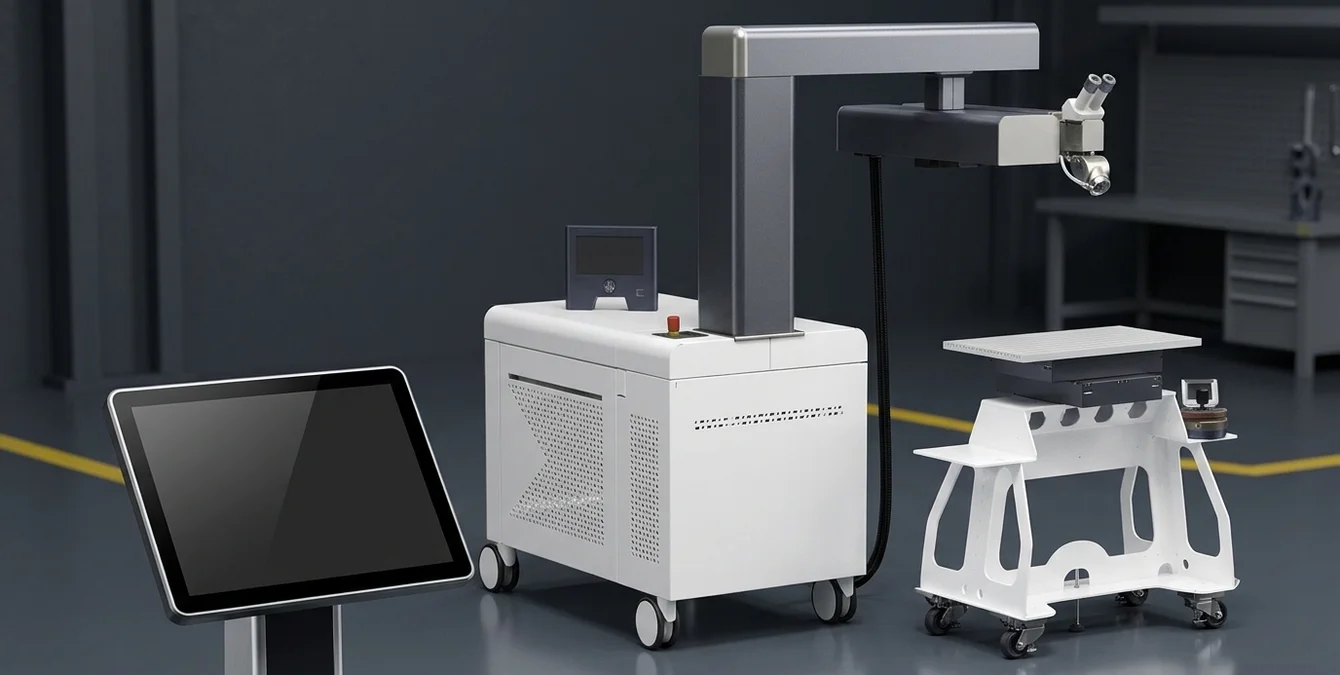
The 10-inch touchscreen is the central hub for all machine operation and welding parameter management on Sigma laser welding systems. Developed in collaboration with experienced screen designers, the interface is engineered to be clear, intuitive, and practical for daily shop-floor use. All critical functions—such as power settings, pulse characteristics, and movement controls—are accessed directly through this panel, eliminating the need for external computers or complex hardware controls.
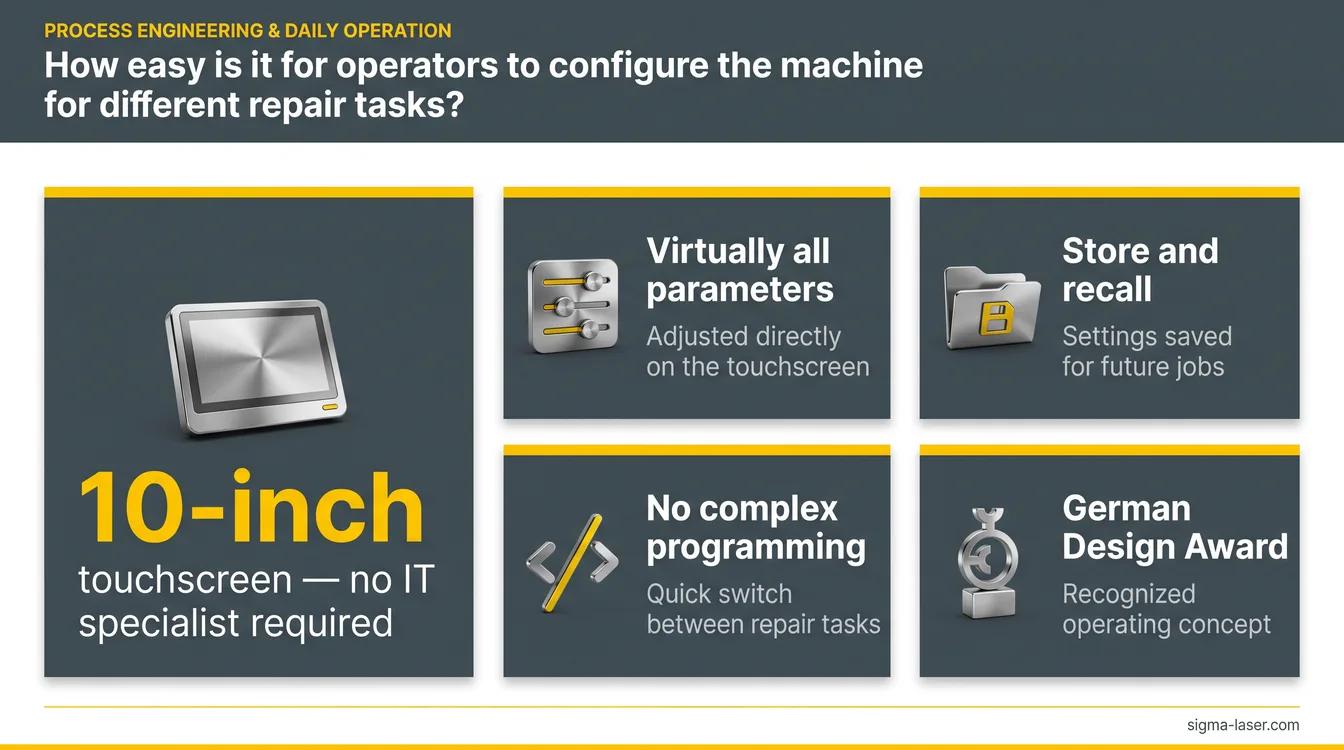
Operators benefit from immediate visual feedback and straightforward navigation. Parameter adjustments are made via clearly labeled menus and sliders, with real-time display of changes. This reduces the risk of input errors and streamlines the process of setting up new jobs or modifying existing ones. The touchscreen also supports the storage and recall of parameter sets, so once optimal settings for a material or repair type are established, they can be reused with a few taps. This feature is especially valuable for recurring repairs or standardized production tasks.
For a detailed look at how to configure your first weld program, see the step-by-step guide to setting up your first weld program on Sigomatic. The touchscreen’s design ensures that even complex repair applications are accessible to operators with varied technical backgrounds, supporting both productivity and process reliability.
Switching between different repair tasks
One of the most practical advantages of Sigma’s touchscreen operation is the ease with which operators can switch between different repair tasks. Virtually all relevant welding parameters—such as laser power, pulse duration, wire feed, and movement patterns—are adjusted directly on the touchscreen. Settings tailored to specific materials or applications can be stored and instantly recalled, enabling rapid transitions between jobs without the need for complex programming or manual recalibration.
This capability is particularly important in environments where a wide variety of molds, tools, or components require repair. Instead of re-entering parameters for each new task, operators simply select the appropriate saved profile. This not only saves time but also helps maintain consistent quality across different jobs and operators. It is a significant productivity advantage when handling urgent repairs or when the shop floor must adapt quickly to changing priorities.
For more on ensuring quality across multiple operators and jobs, refer to how to keep laser weld quality consistent between operators. The touchscreen’s efficient task-switching capability supports flexible scheduling and efficient use of machine time, making it easier to meet tight production deadlines and reduce downtime.
| Step | Action |
|---|---|
| 1. Operator Interface | Intuitive 10-inch touchscreen displays clear error messages and status information |
| 2. Operator Checks | Operator reviews and interprets messages to identify the issue |
| 3. Remote Diagnosis | Machine connects via USB to a PC for Sigma Laser remote technician analysis |
| 4. Supplementary Info | Photos and videos can be sent to aid diagnosis |
| 5. Resolution | Targeted corrective measure is decided and implemented |
How do operators identify the cause of a machine fault?
Clear, intuitive touchscreen operation is not just about setting parameters—it also plays a critical role in daily troubleshooting. The Sigma interface is designed to present error messages and status information in a way that is easy to understand, helping operators quickly identify the cause of any machine fault. This reduces reliance on technical specialists and minimizes the time spent diagnosing issues during production.
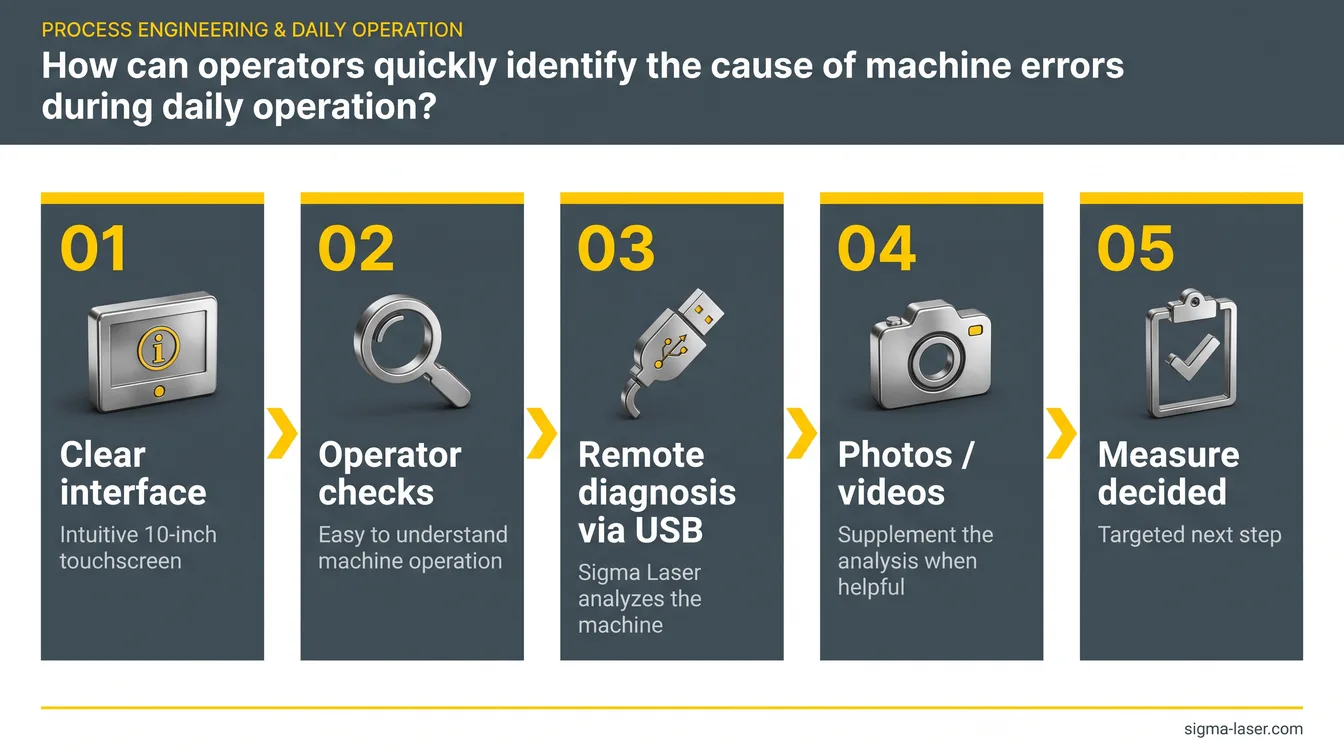
When further technical analysis is required, Sigma supports customers through remote diagnosis via an integrated USB interface. By connecting the machine to a PC, operators can enable secure remote access for Sigma technicians, who can then analyze system data in real time. Supplementing this with photos or videos of the issue often leads to a rapid and accurate diagnosis, reducing unnecessary service visits and minimizing downtime.
For more information, see the Remote Diagnosis Software and the article How Does Remote Diagnostics Work on a Laser Welding Machine?. This combined approach—clear operator interface and expert remote support—ensures that most issues are resolved quickly and efficiently, keeping production on track.
External recognition of the operating concept
External recognition such as the German Design Award is not simply a marketing accolade—it is a practical signal to decision-makers evaluating laser welding technology. When a machine’s operating concept receives this level of independent validation, it demonstrates that the interface has been rigorously assessed for usability, ergonomics, and workflow integration by experts outside the manufacturer’s own team. For production managers and process engineers, this reduces the risk of investing in a system that might otherwise suffer from hidden usability flaws or operator resistance.
In practical terms, a recognized design standard can translate directly into smoother onboarding, faster training, and fewer user errors. Operators are less likely to make mistakes or require extensive support, which can reduce both direct costs and indirect downtime. For companies planning to introduce laser welding into environments where staff turnover or varying skill levels are a concern, an award-winning interface helps ensure consistent quality and operational continuity.
When evaluating touchscreen operation, it is important to look beyond basic functionality and consider how the interface supports real-world production needs. Pitfalls to watch for include overly complex menu structures, unclear error messaging, or interfaces that require frequent reference to manuals. The German Design Award signals that Sigma’s system has avoided these traps, instead focusing on clarity and operator workflow.
To see the details behind this recognition, refer to the German Design Award 2025 announcement. This endorsement gives buyers confidence that Sigma’s touchscreen operation is not only innovative but also proven in demanding industrial settings.
Frequently Asked Questions
How intuitive is the touchscreen operation for new users?
Sigma’s touchscreen interface is designed so that operators do not need IT expertise. The layout is clear and logical, making it accessible for new users after basic training. Most daily tasks can be performed with straightforward menu navigation and visual feedback.
Can welding parameters be saved and reused for different jobs?
Yes. Virtually all relevant welding parameters can be set, stored, and recalled directly from the touchscreen. This allows operators to quickly switch between repair tasks and ensures consistent results across similar jobs.
What support is available if an operator encounters a machine fault?
If an operator cannot resolve an issue using the touchscreen interface, Sigma offers remote diagnosis via an integrated USB connection. Technicians can analyze the machine remotely, often resolving issues without the need for a site visit.
Has the operating concept received any external recognition?
Yes. The overall design and usability of Sigma’s touchscreen interface have been recognized with a German Design Award, confirming its effectiveness and user-centered approach in industrial environments.